Code Enforcement
CE Edit and List
Contact Support

A complete redesign of the Code Enforcement edit and list experience — focused on speed and context. This release introduces smarter mapping, tagging, and inspection workflows, letting officers move faster in the field while maintaining a complete, legally compliant record. From parcels to photos, everything connects more seamlessly
Highlights
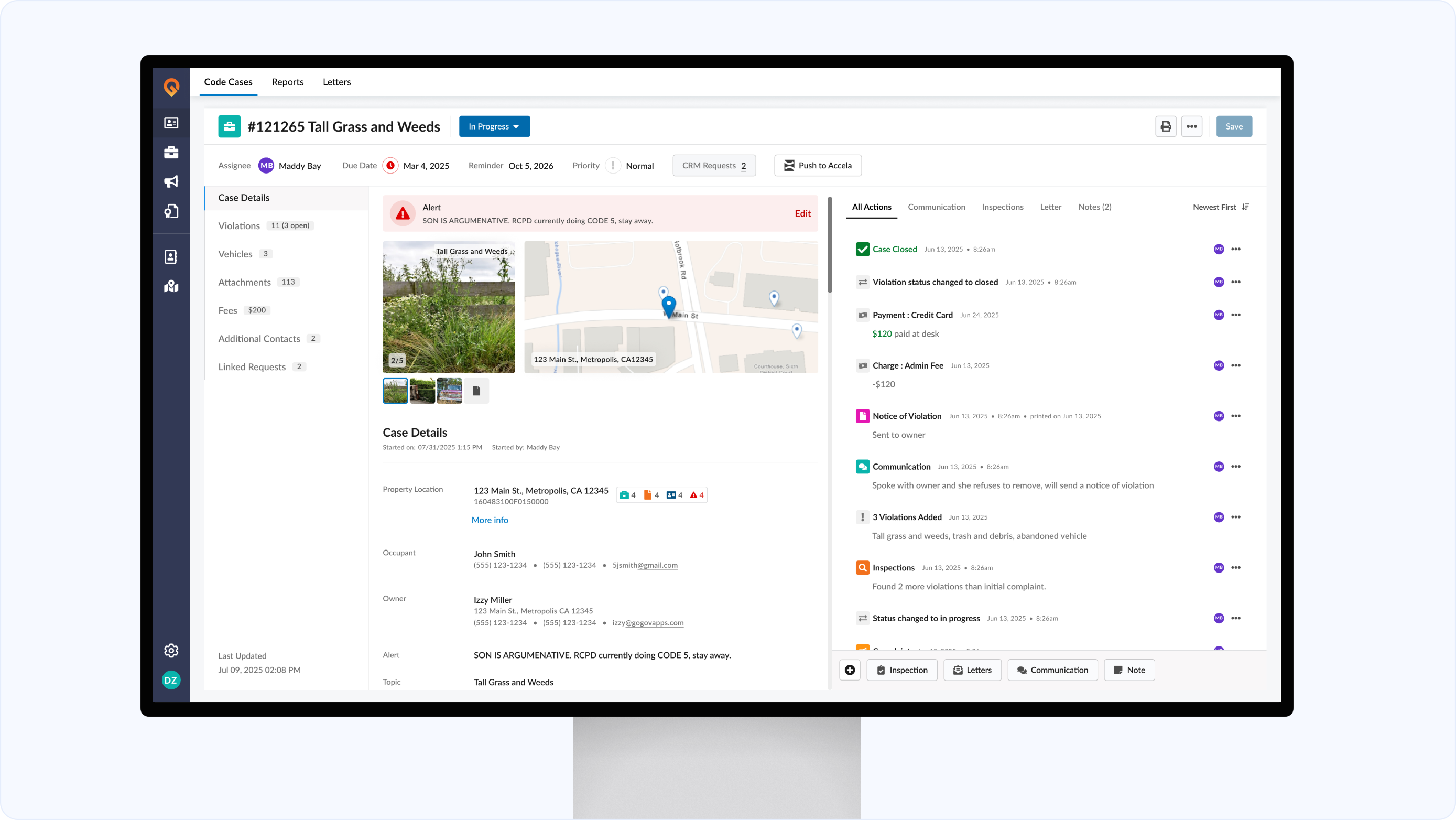
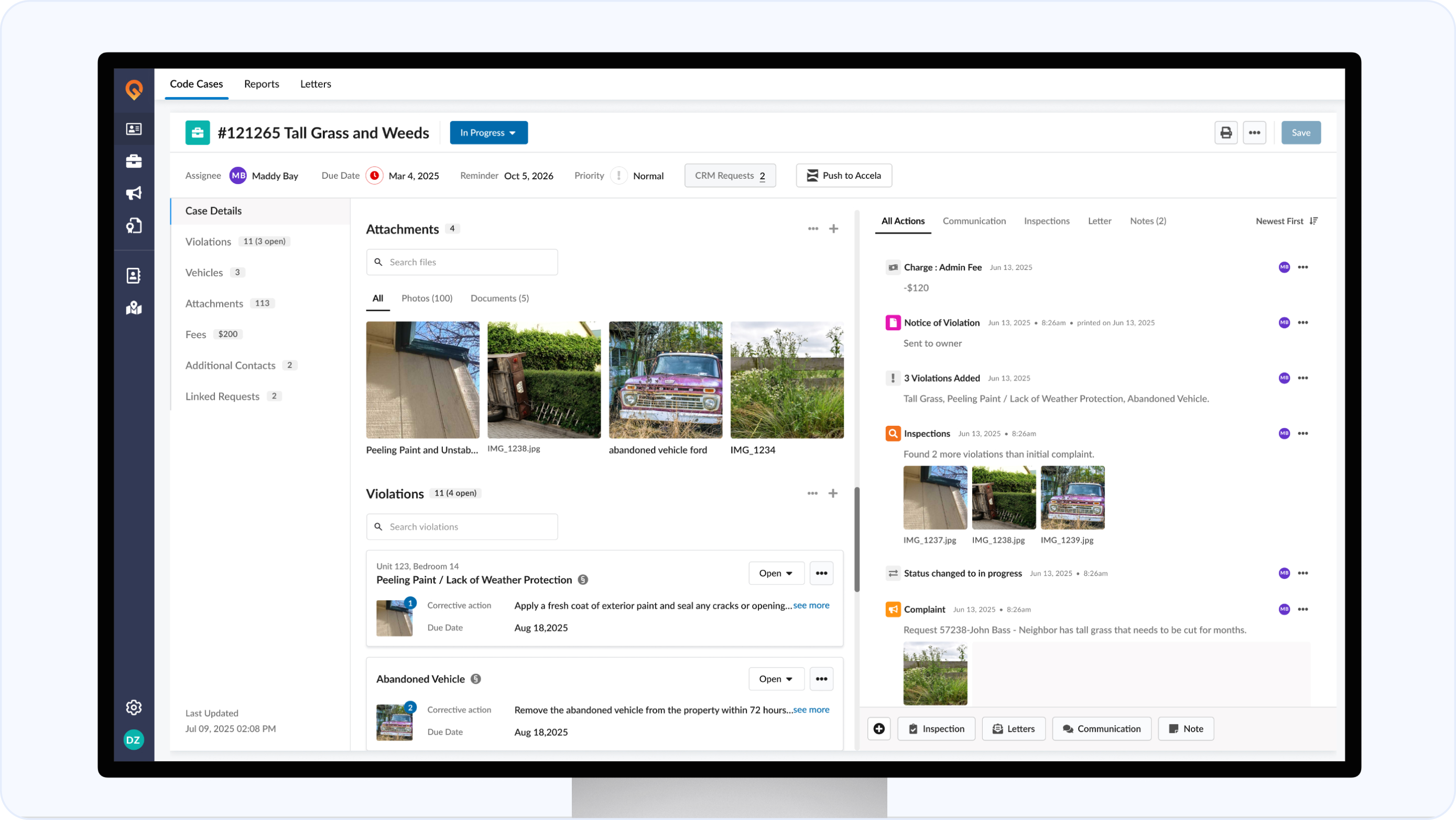
Edit Screen
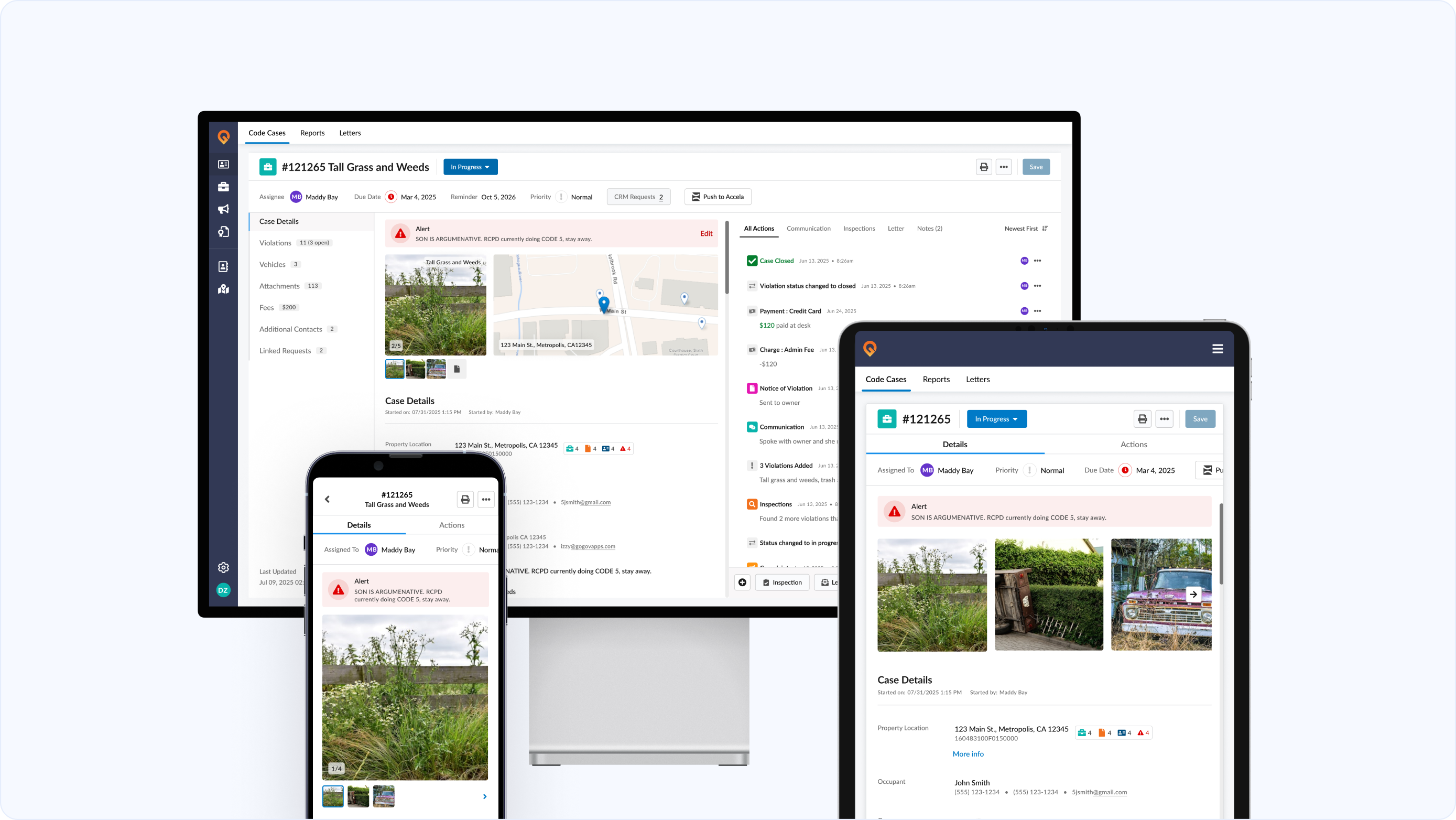
A consistent, fully responsive experience across desktop, tablet, and field devices. We’ve completely redesigned the edit experience for clarity and speed.
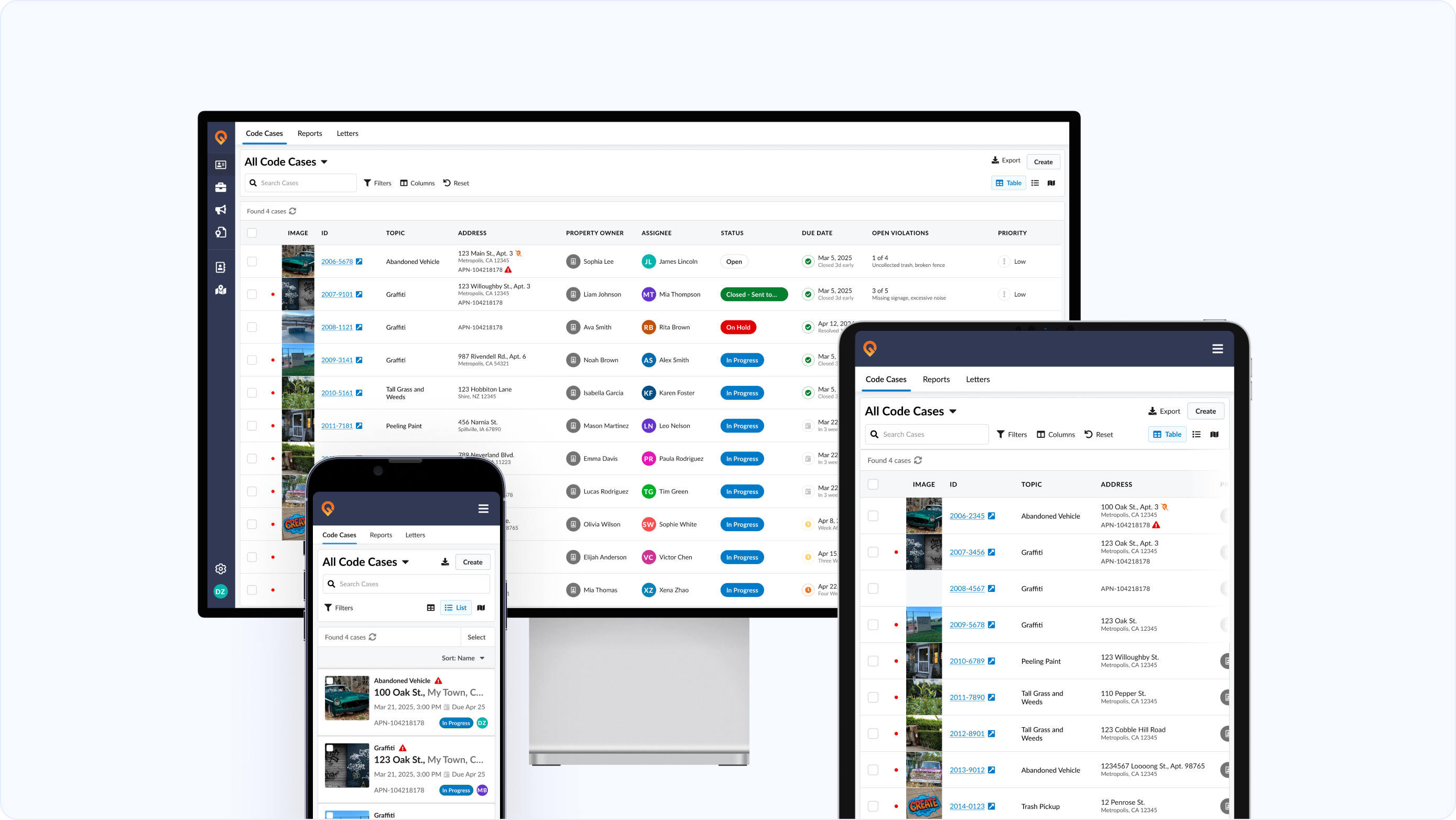
Enhanced List Screen
Fully responsive and customizable. Filter and sort by any field or column to create the exact view you need.
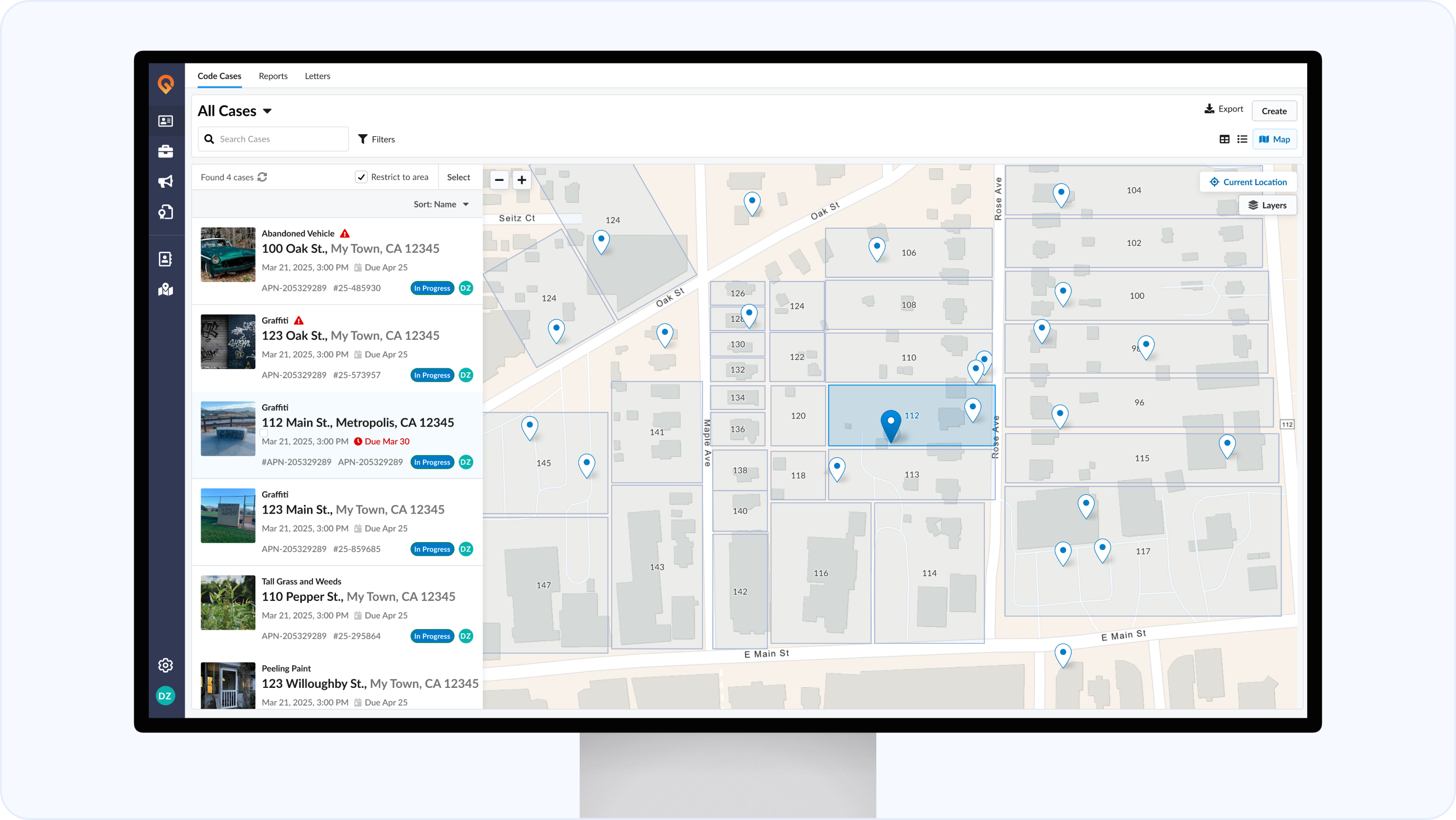
New Map View
Visualize requests in a whole new way with an interactive map that supports GIS layers to get spatial context for your cases.
Parcel information at your fingertips
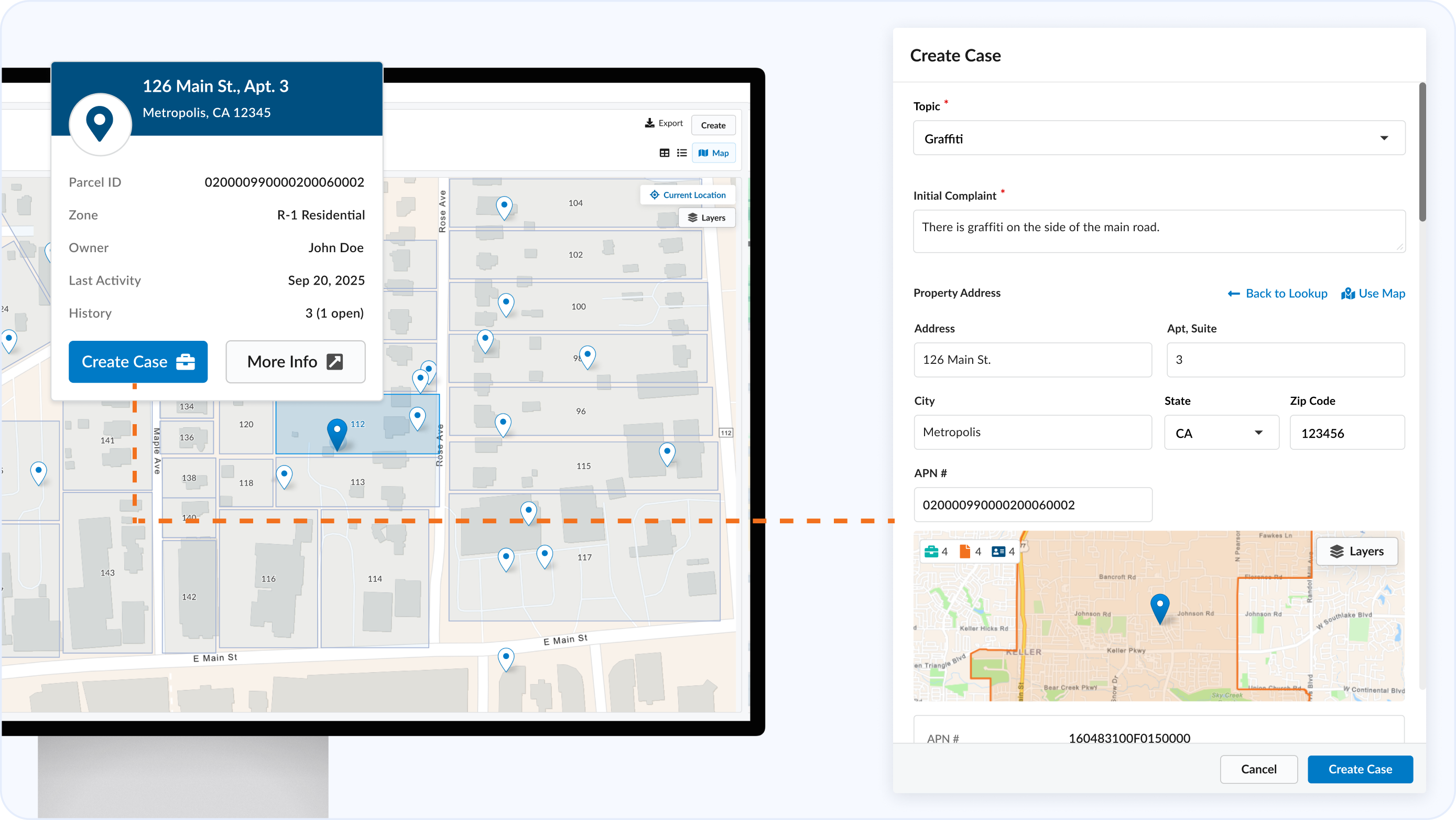
Instantly preview owner info, open cases, and related records by hovering over a parcel on the map.
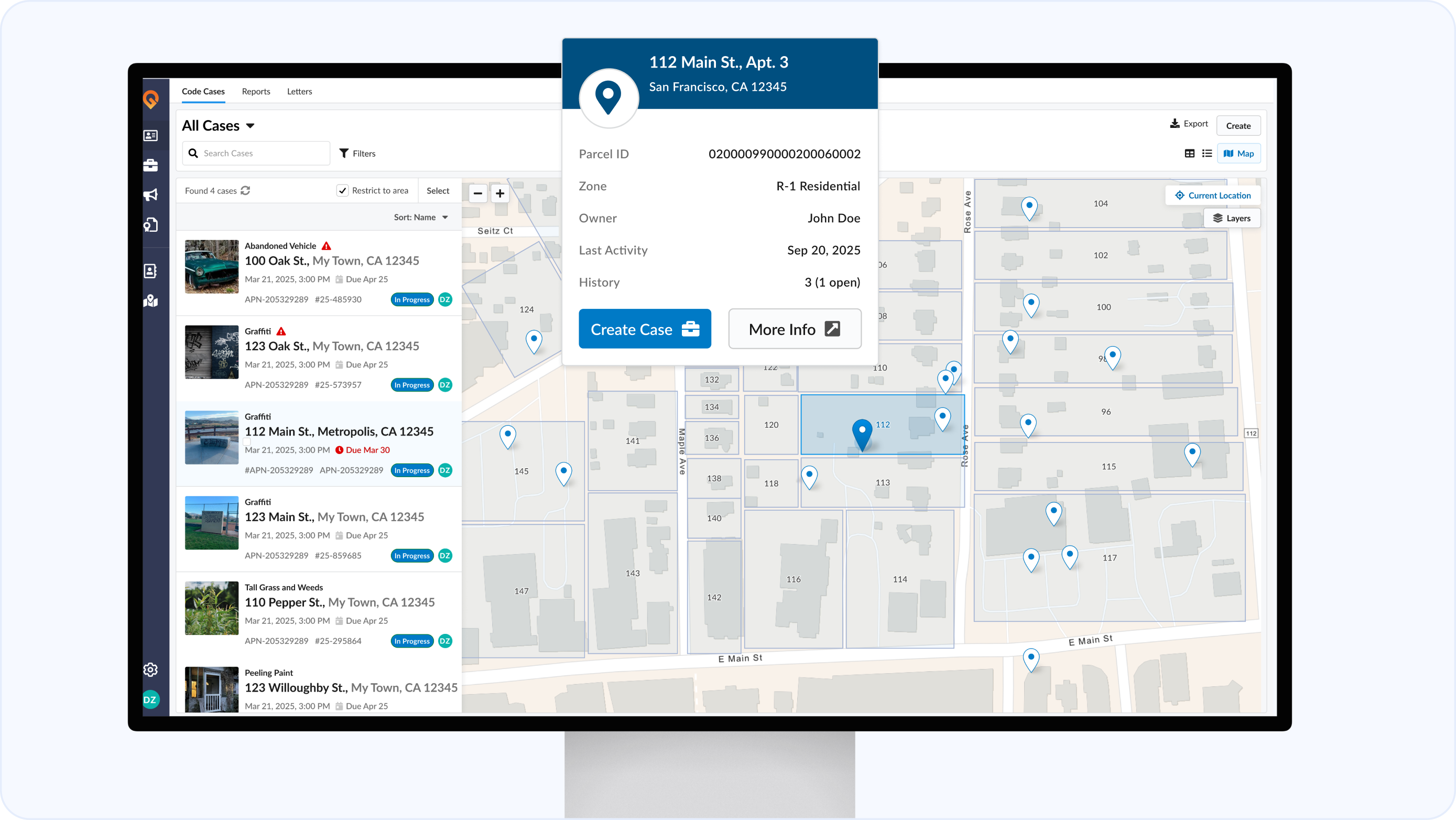
Create Cases from Map
Create new cases directly from a parcel on the map list view.
Simplified Case Creation
Faster create flow with location lookup, auto-parcel matching, and duplicate detection — only expand advanced options if needed.
Geo-Lookup
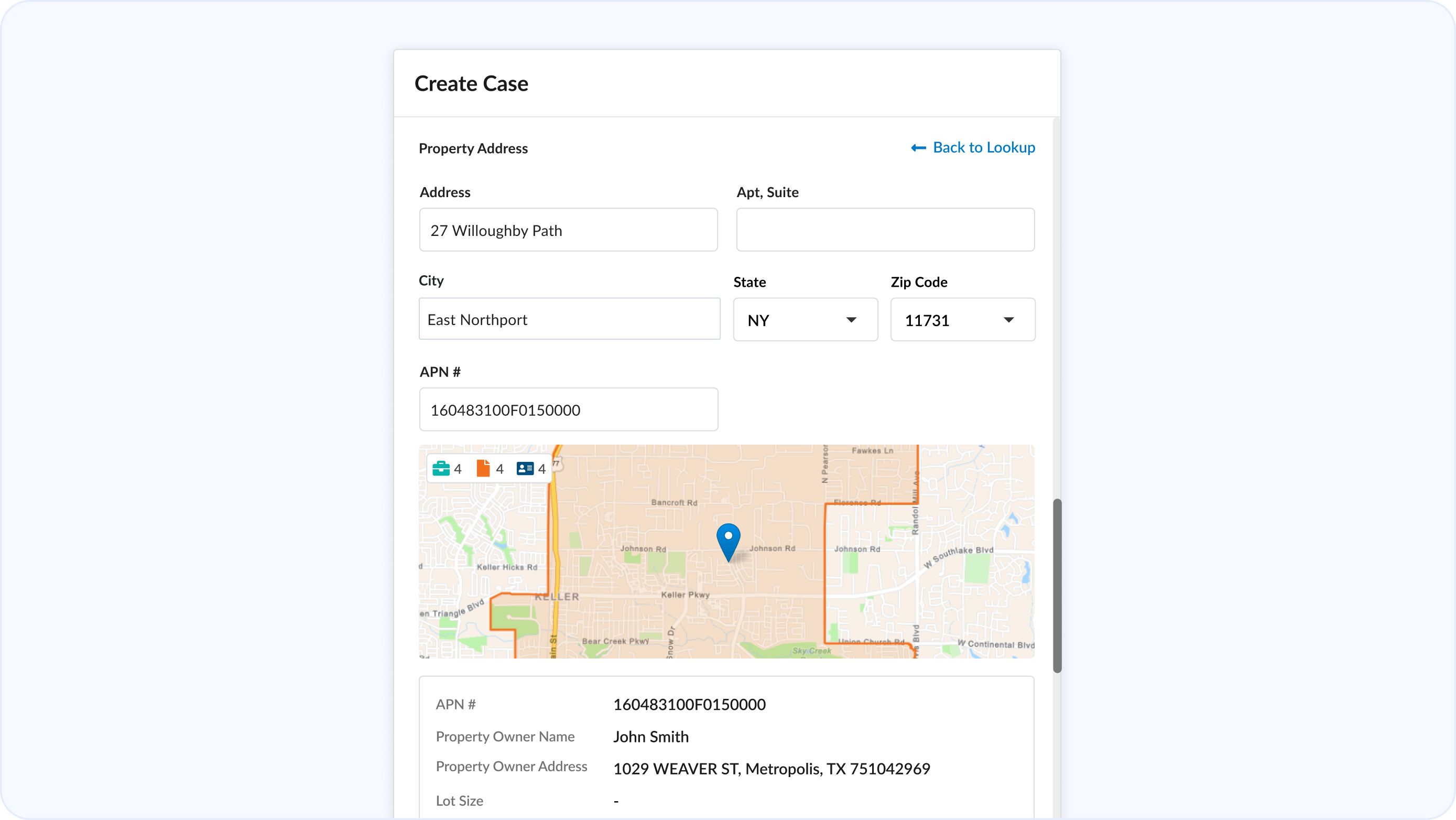
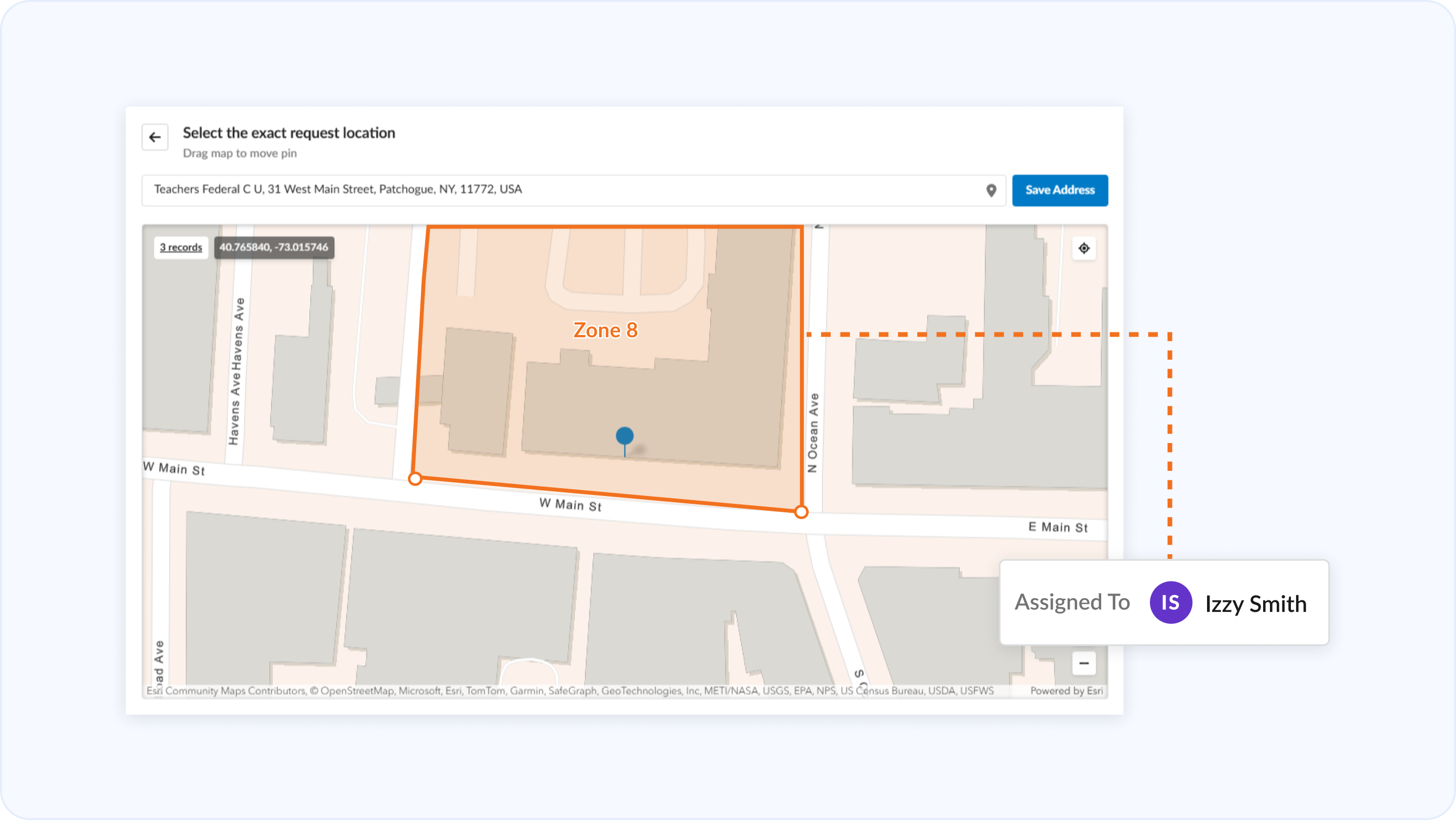
Import GIS data or create custom map layers to drive assignments, filters, and workflow automation by location.
Action Panel with Key Events.
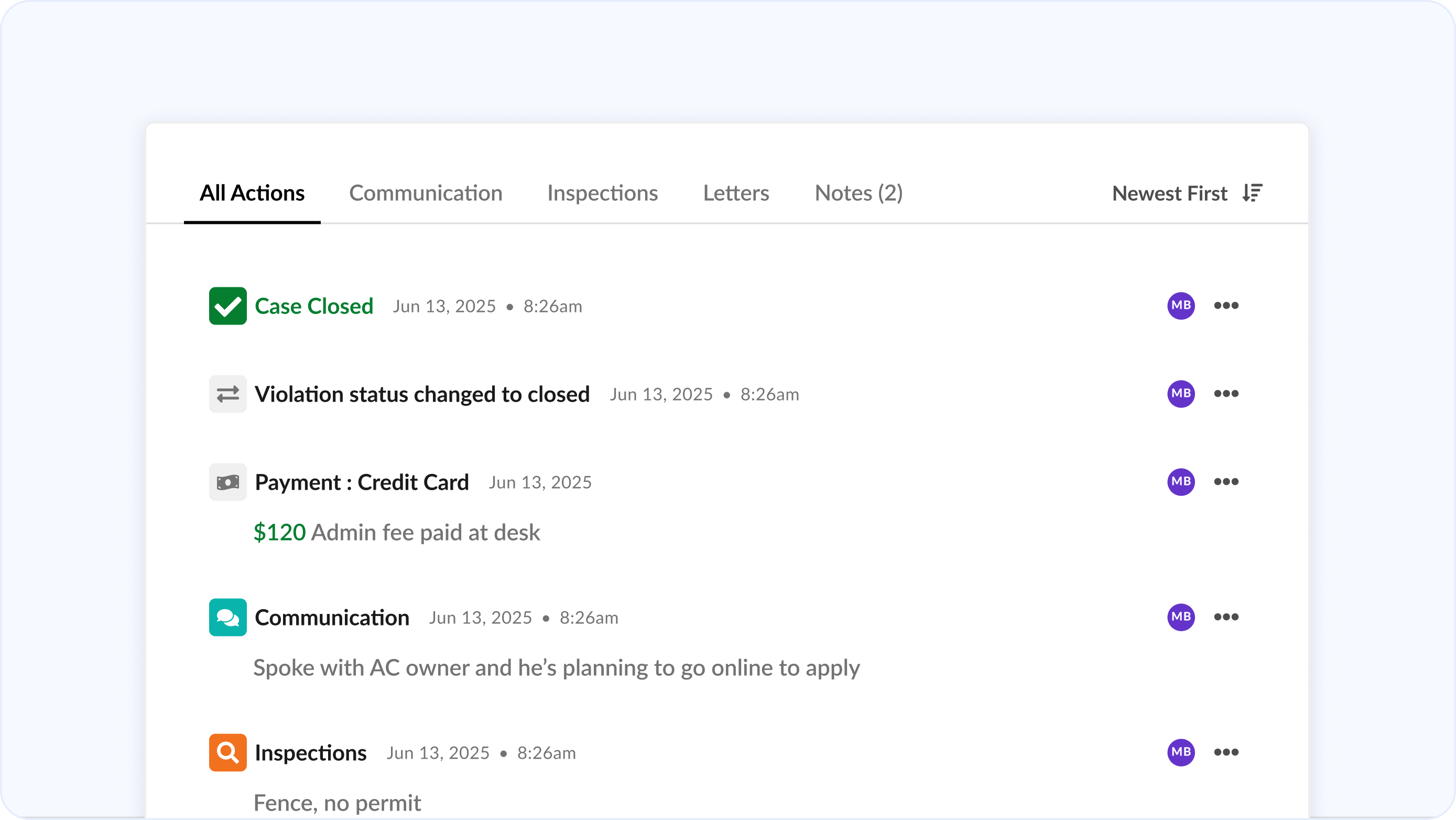
A unified action timeline that surfaces every action and associated attachment, person, and timestamp in one view. Track critical events such as fee charges, payments, and violation updates right alongside daily actions for complete context.
Tabbed Actions Panel
Switch between Inspections, Communications, Letters, and Notes with focused tabs that surface exactly what you need, faster. Or view everything in one continuous timeline for richer context.
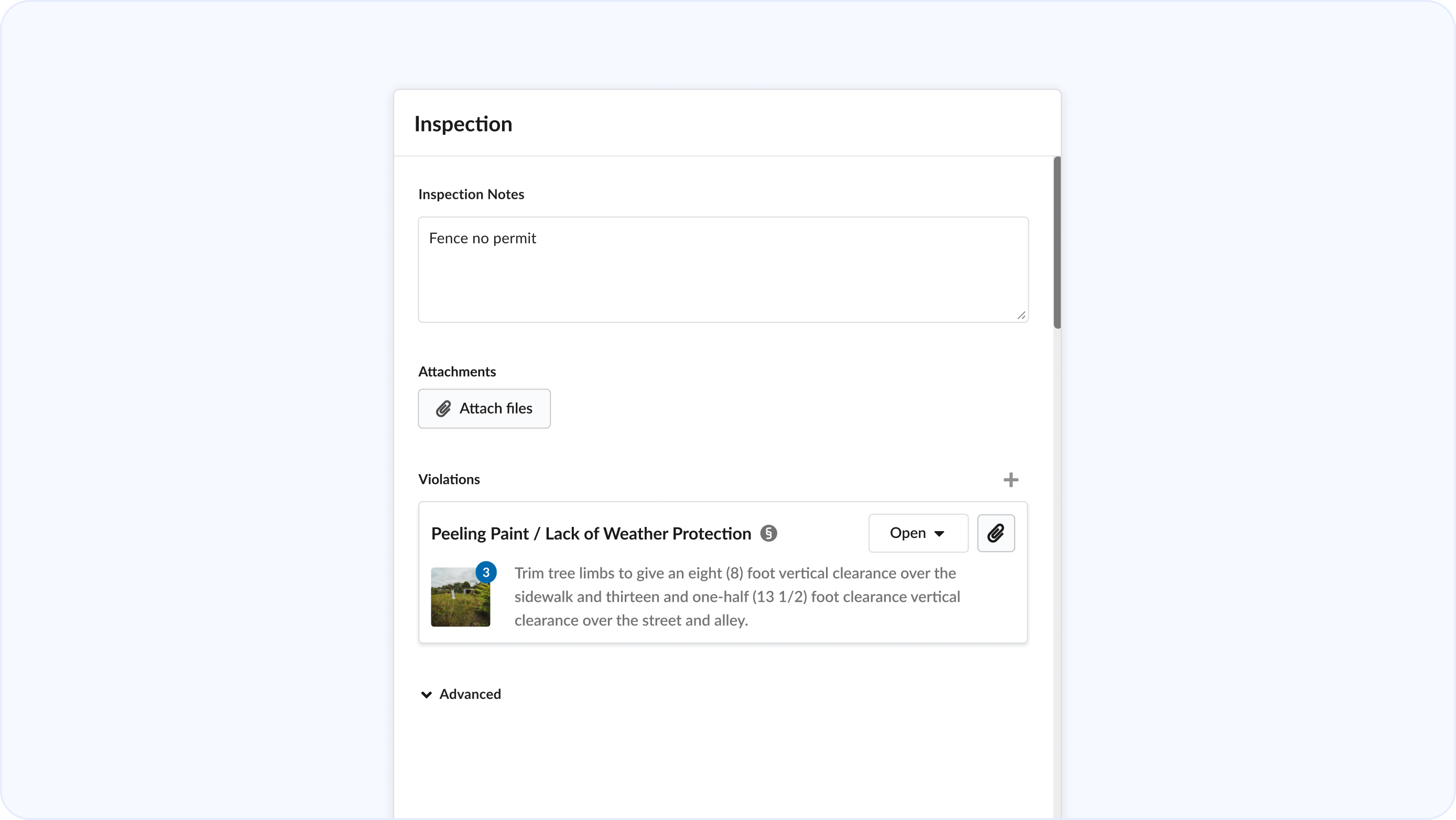
Attachment Tagging
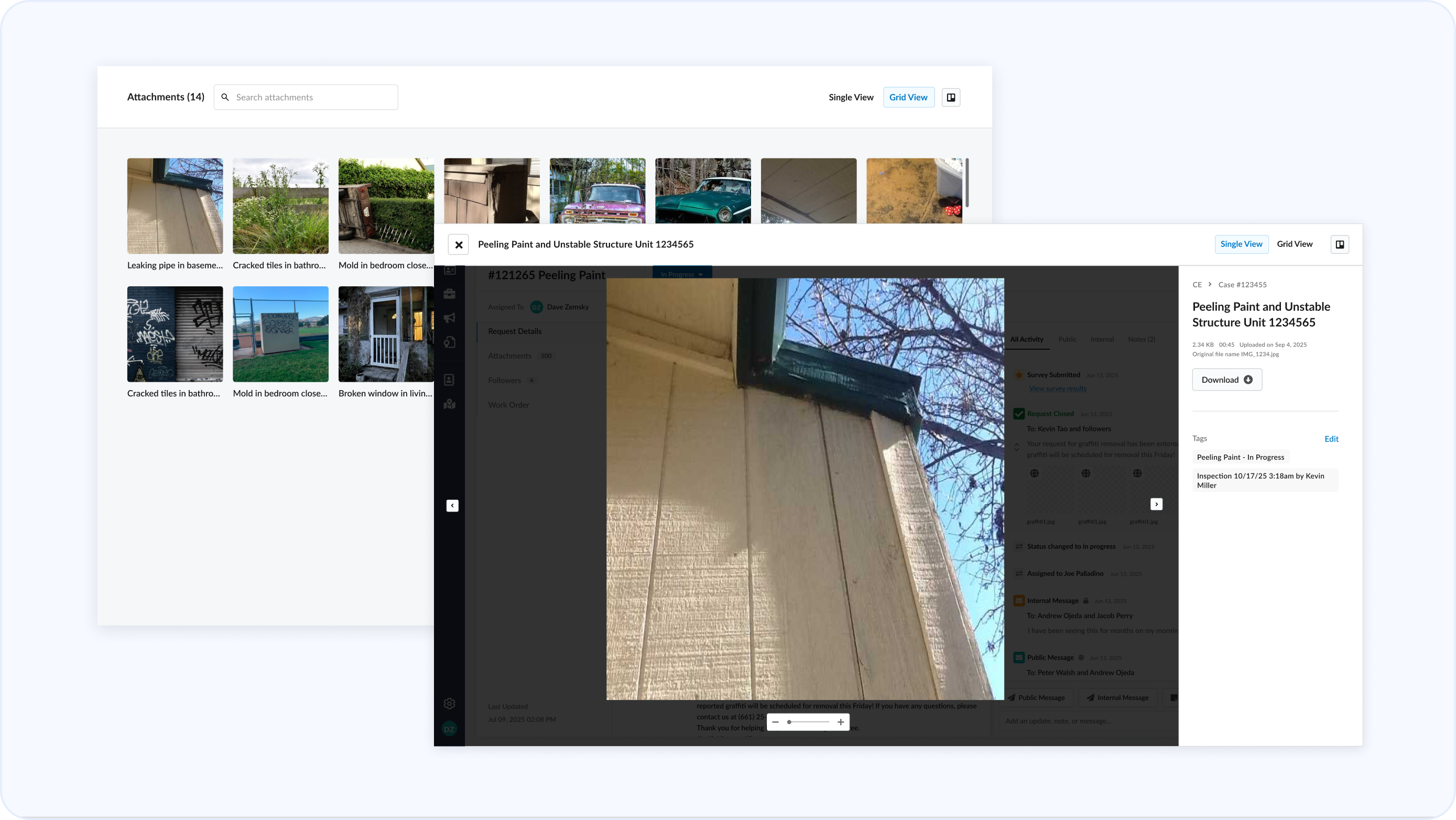
Tag attachments to actions, violations, or vehicles for deeper context during reviews and for use in print cases and legal documents.
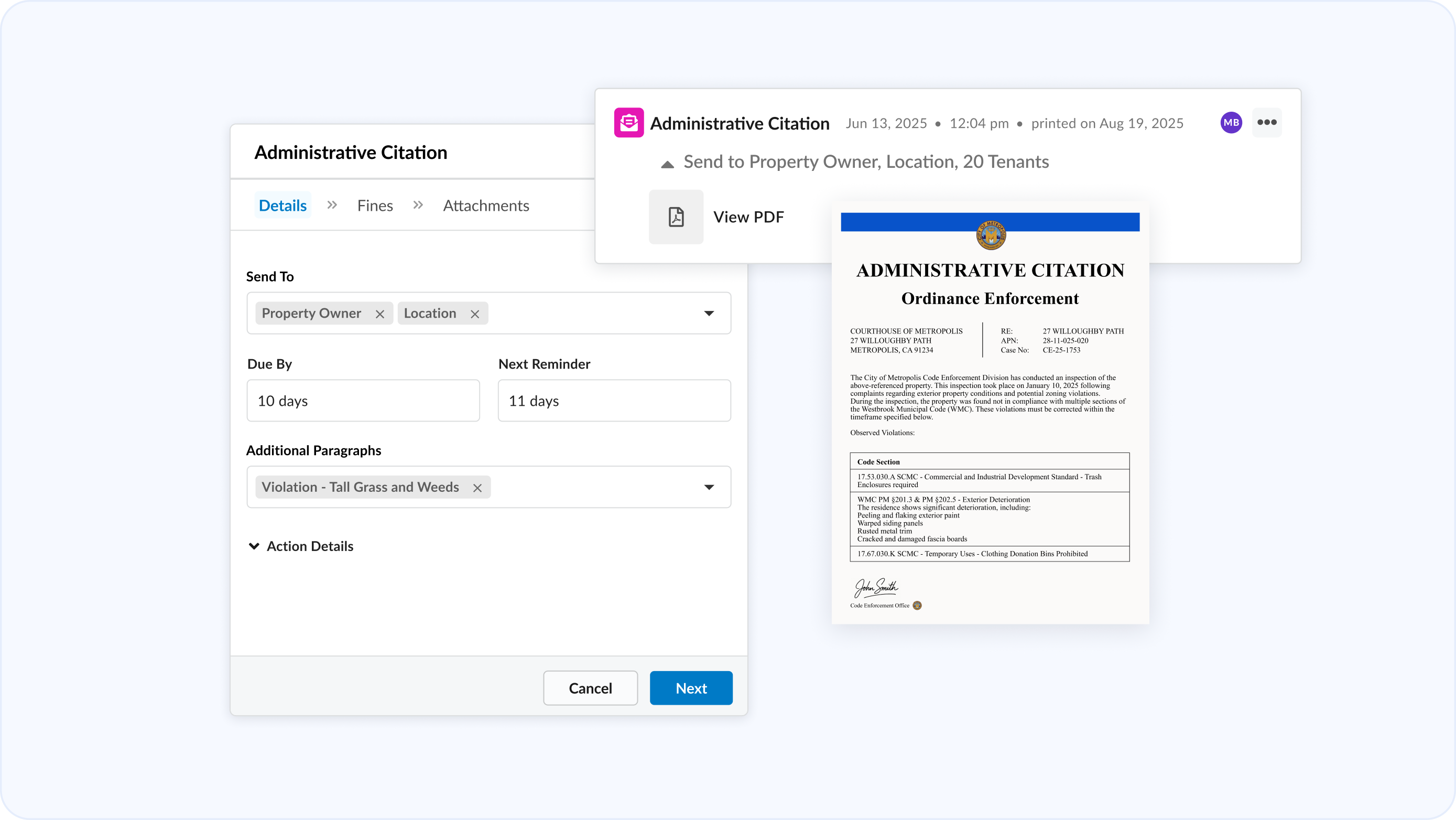
Generate Letters
Generate letters automatically and be able to preview after a letter has been printed out.
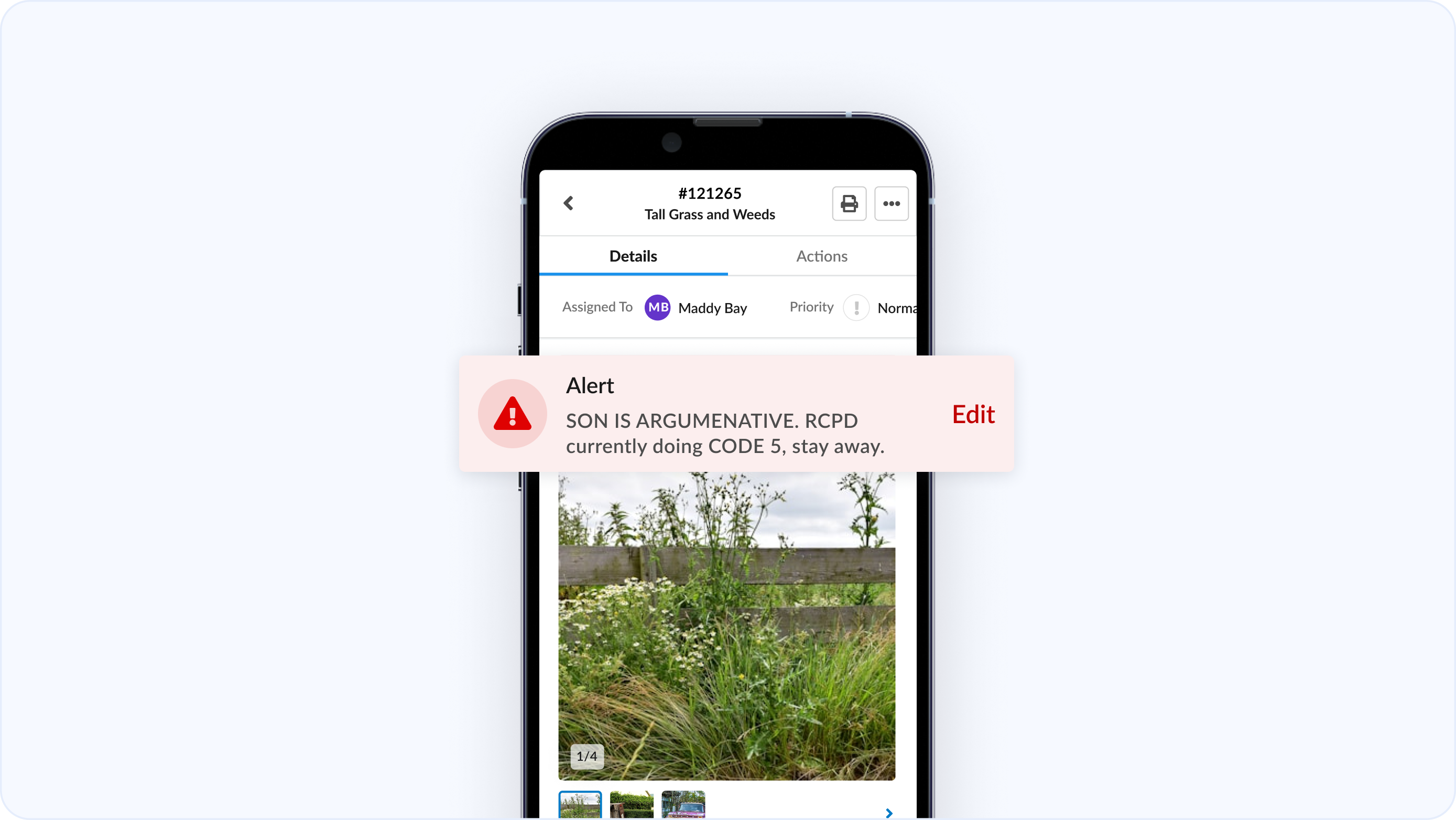
Enhanced Alerts
Critical alerts are now prominently displayed at the top of every case. This increased visibility ensures important property warnings are always front-and-center — never overlooked.
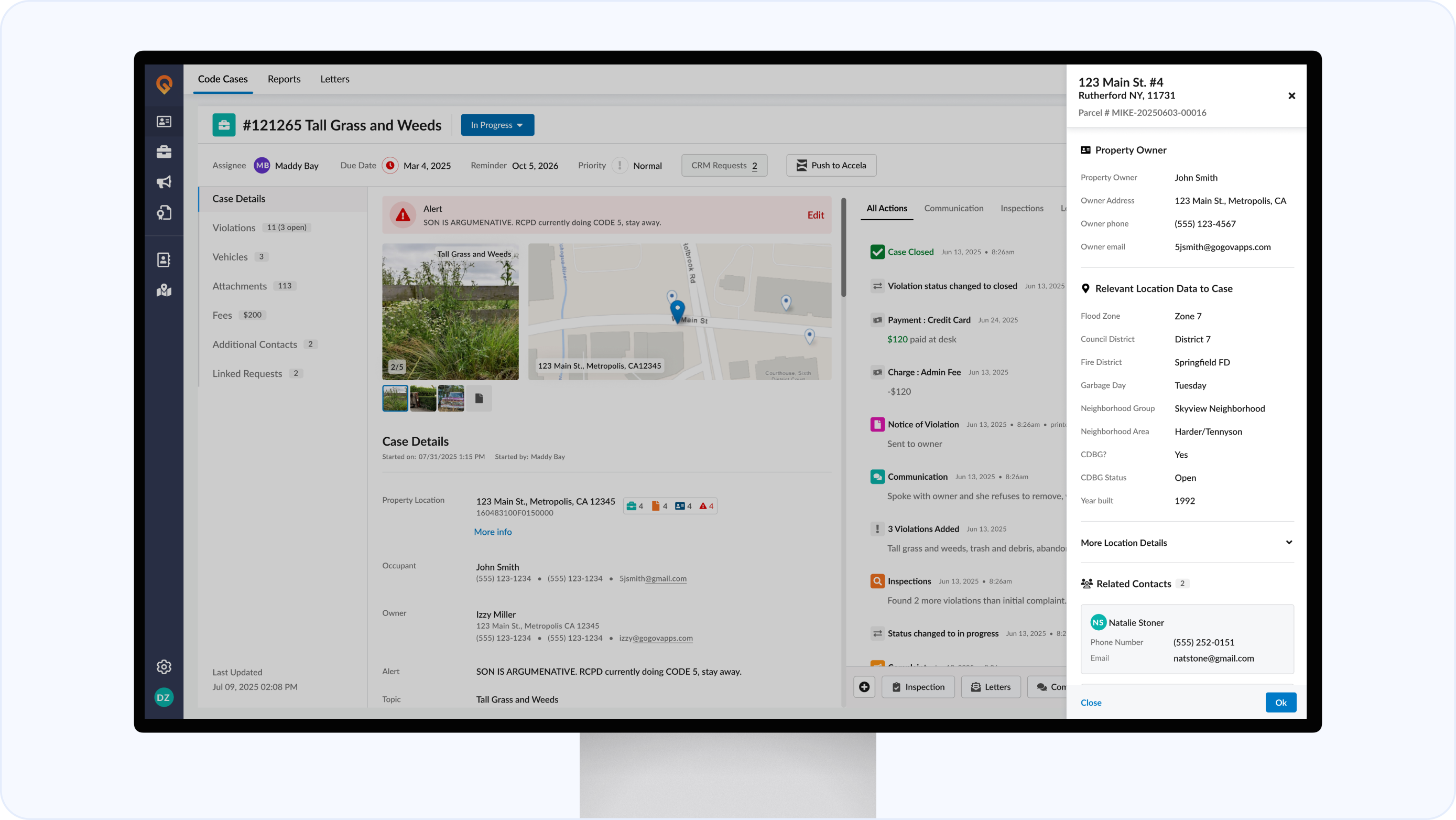
Unified Location Information
View all property-related details in one place — owner information, geo-mapped fields, related contacts, and full property history — all organized for instant clarity and context.
Steamlined Inspections
Add violations and their images as you perform inspections. Mark violations resolved during follow-up inspections with one click.
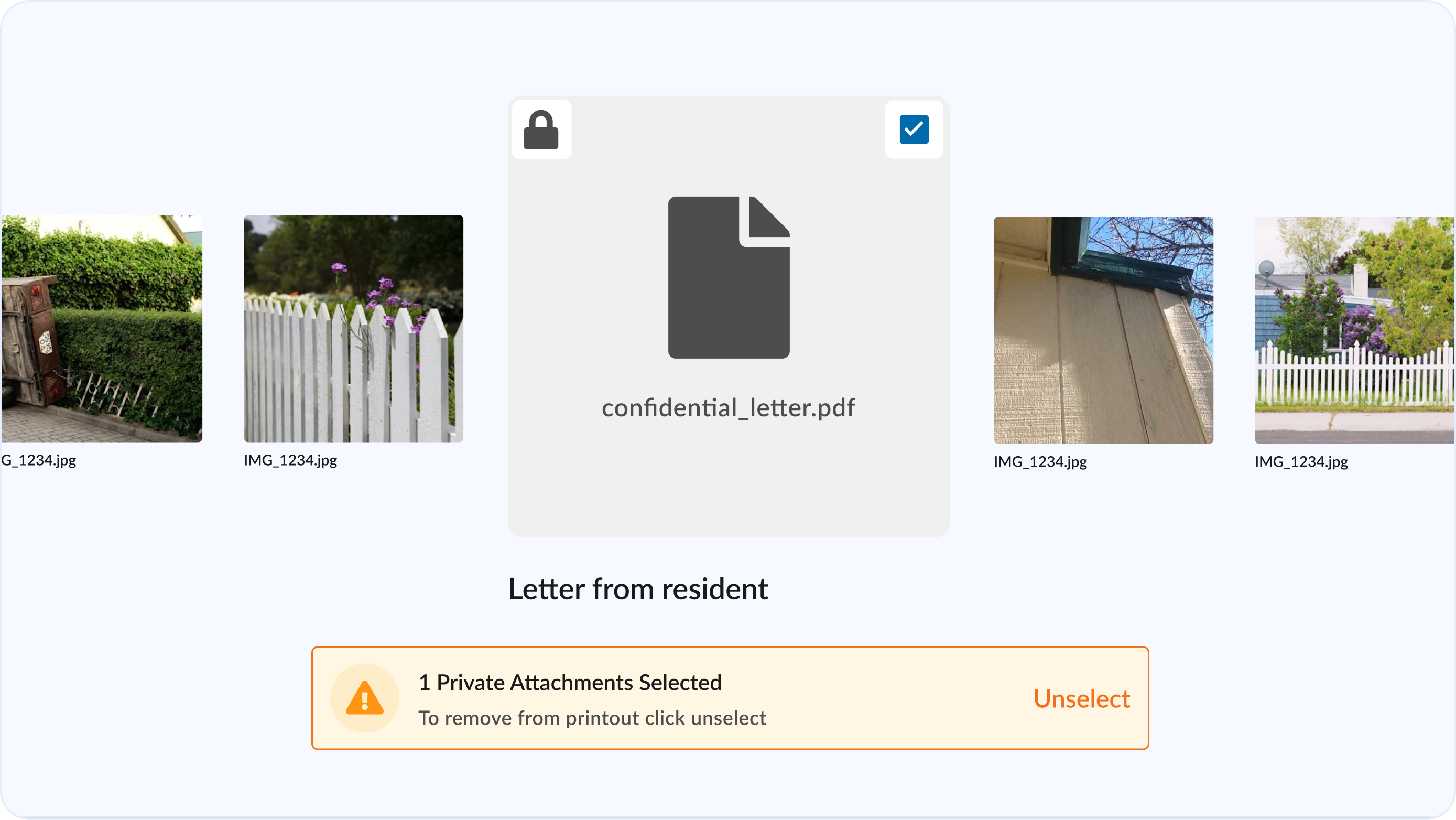
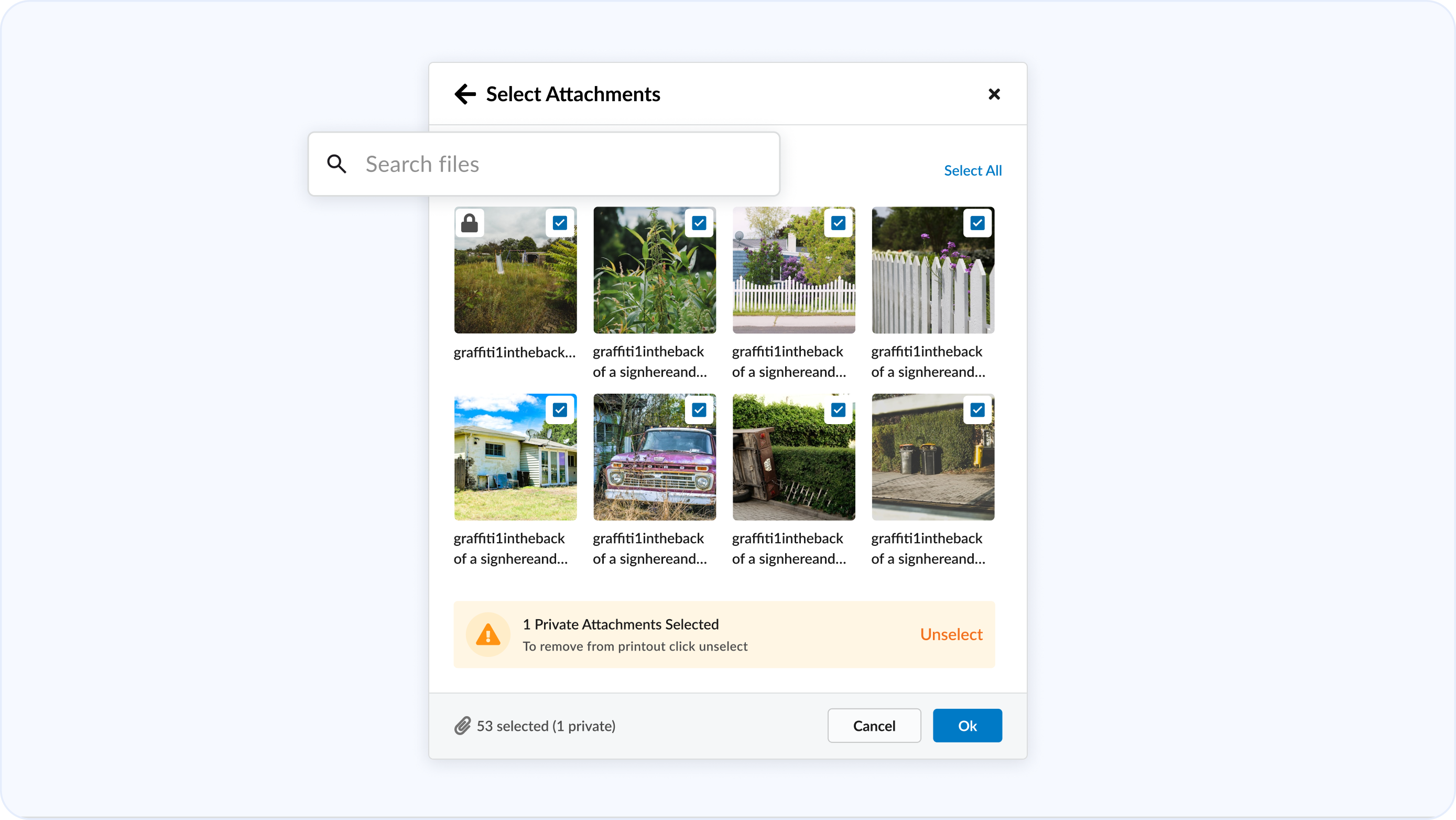
Flag Confidential Files
Mark attachments as private to filter out when choosing attachments for printouts.
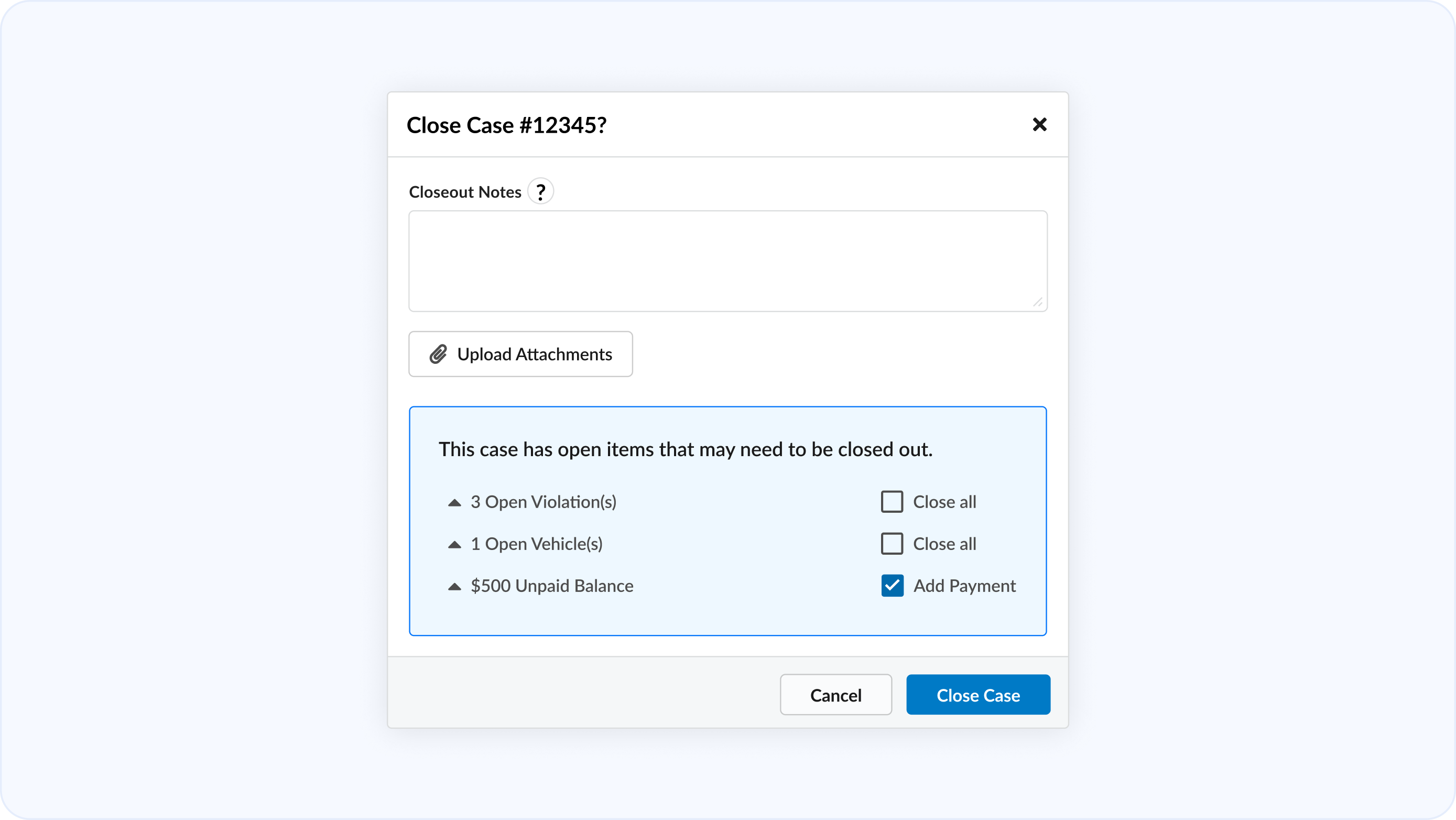
Quick Closure
Add closeout notes, and quickly close out all open violations, vehicles, and unpaid balances on a case when status is changed to closed.
Responsive
A consistent, fully responsive experience across desktop, tablet, and field devices.
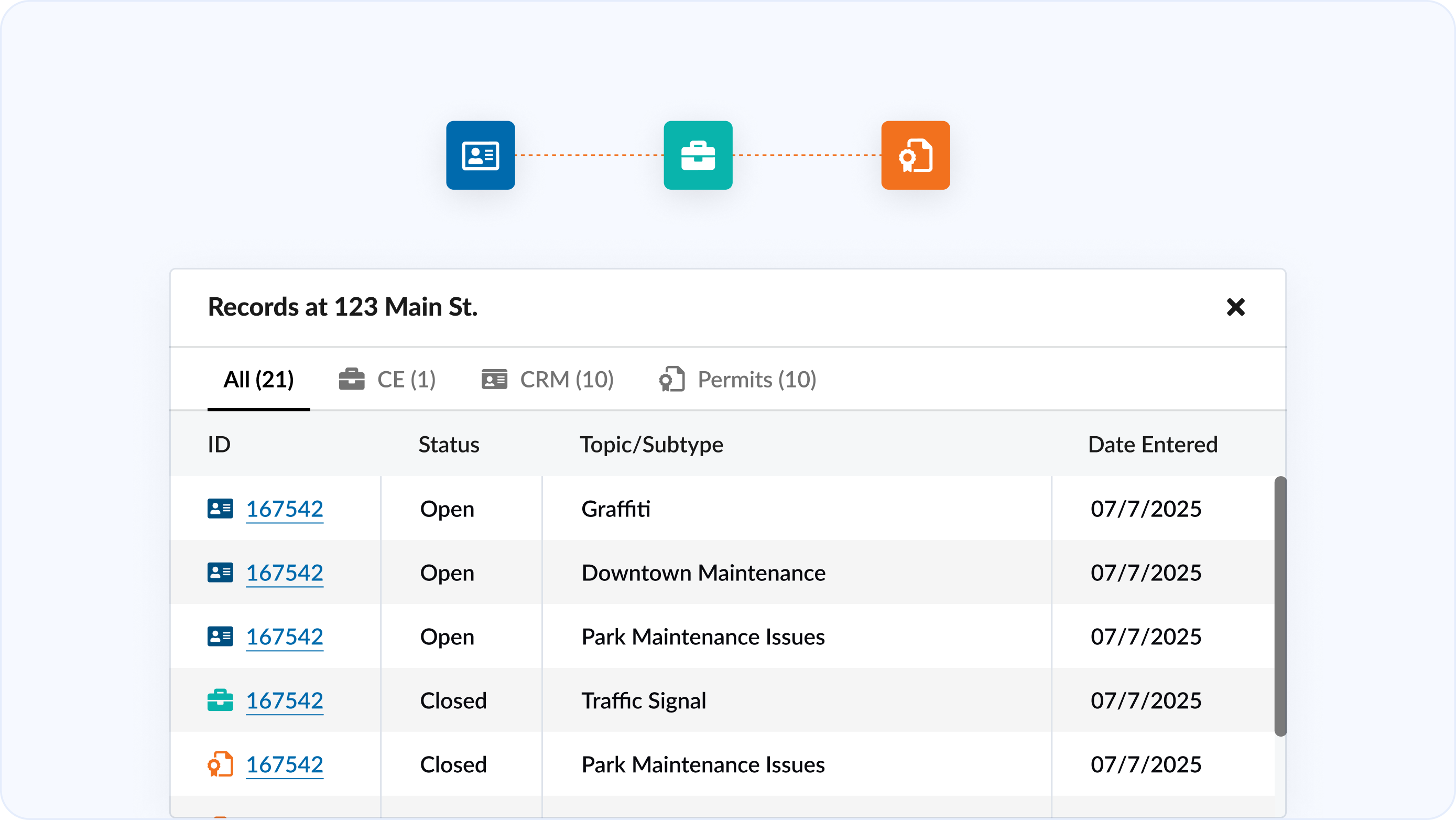
Unified Location History
See all related records of requests, cases, and permits tied to a case — in one cohesive layout.
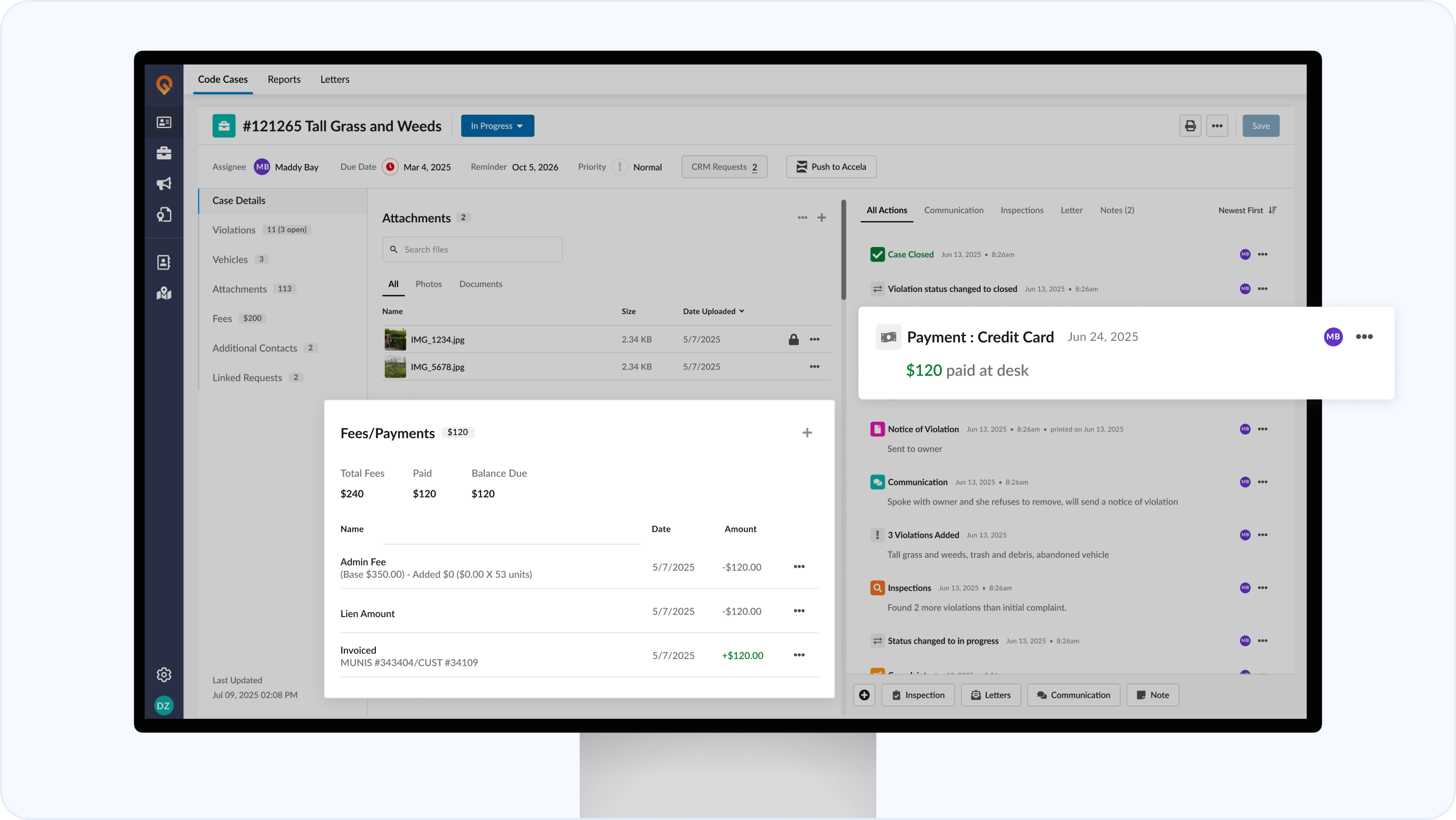
Fees & Payments
See every fee and payment in the context of your case. See payments and fees charged Intertwined with the action timeline, giving you a complete picture at a glance.
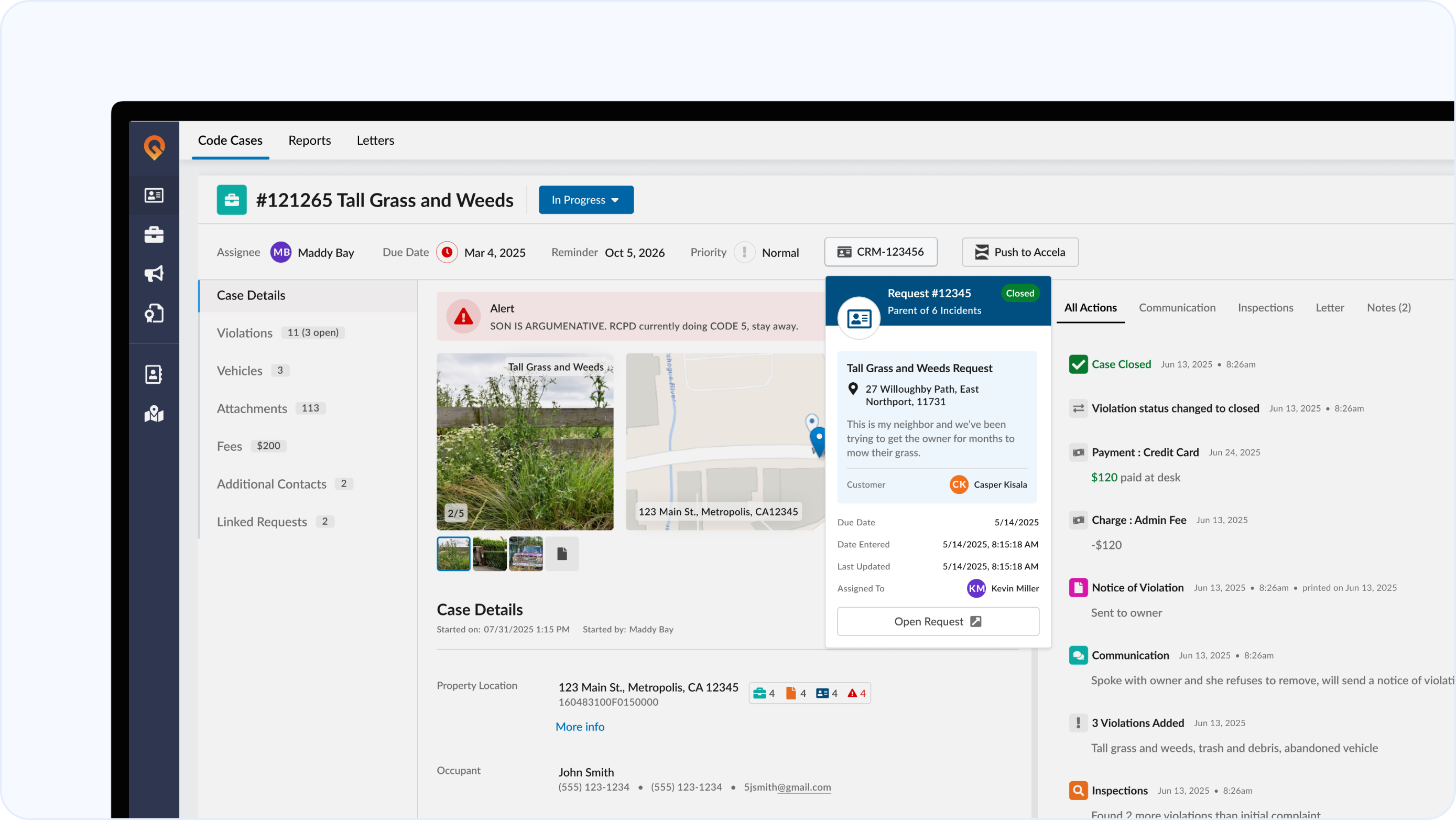
Linked Request Visibility
See details about any linked request directly from the header, so you always have context without leaving the case.
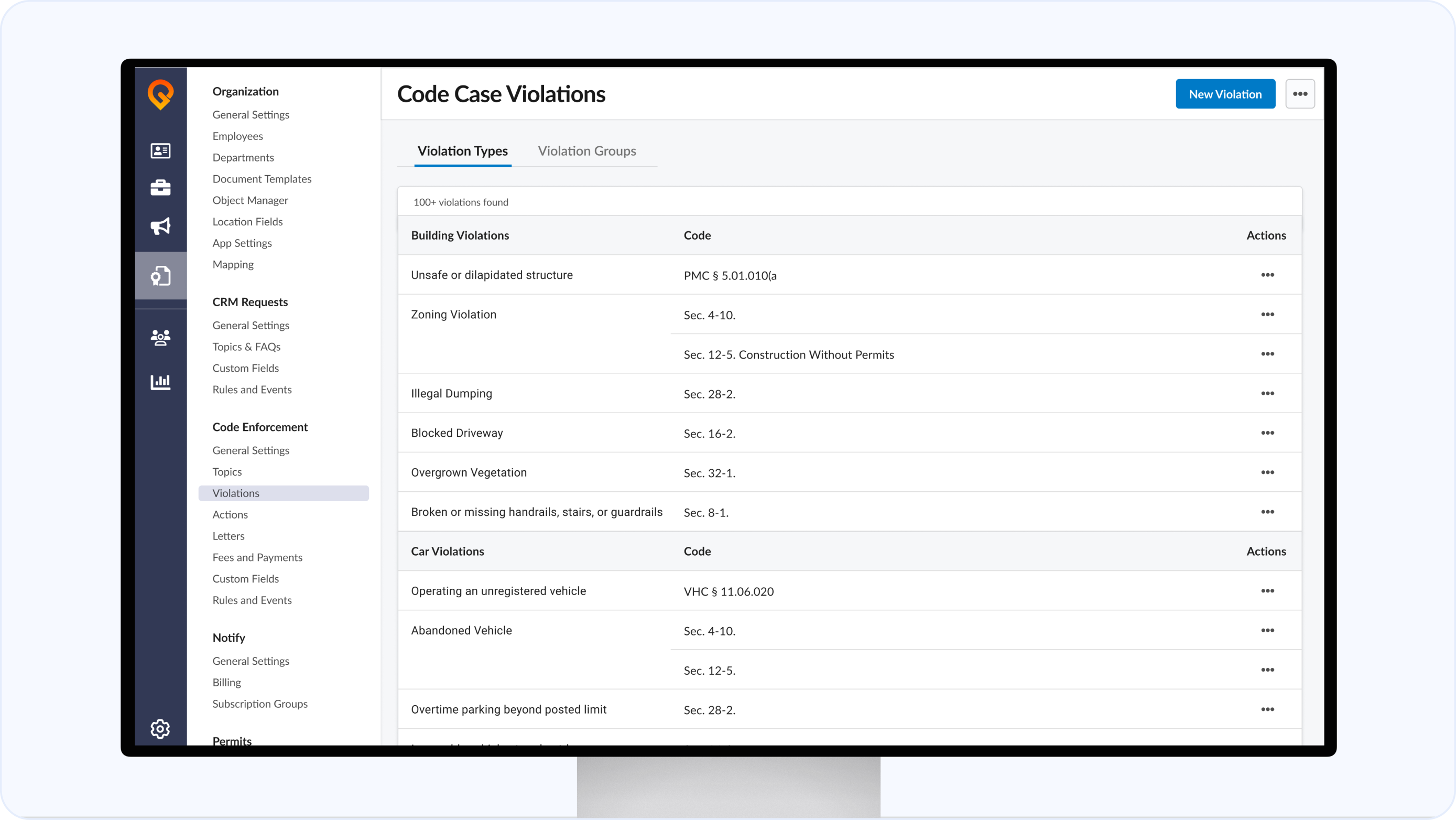
Modernized Admin
All configurations — fees and payments, actions, enforcement topics, violations and groups, rules and events, geolookup, and letters — have been fully moved from the legacy system into the new Admin interface for faster setup.
Full Attachment View
Open attachments in a dedicated viewer with collapsible details showing tags, breadcrumbs, and upload info.
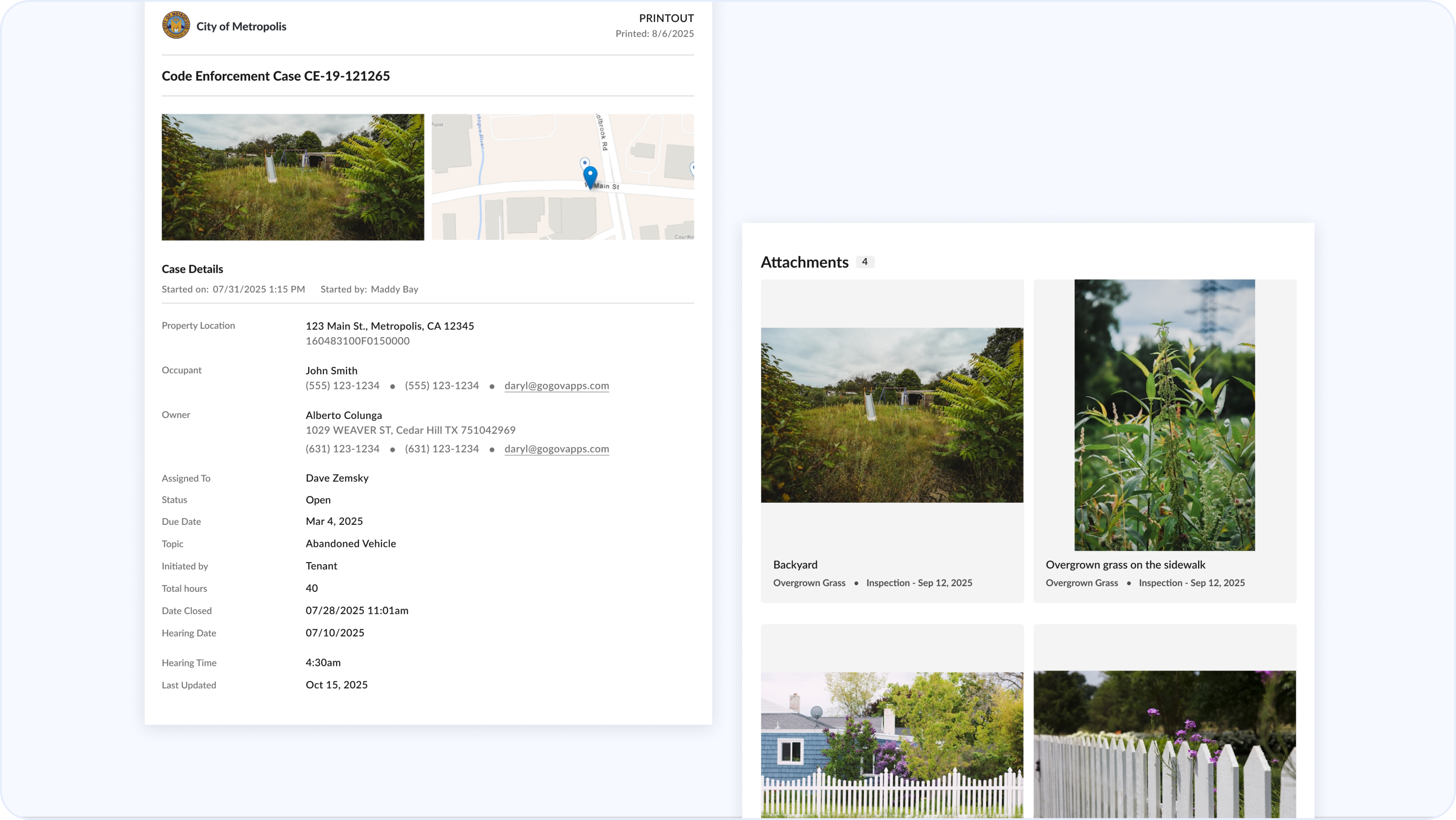
Enhanced Printout
Case printouts now include attachments with visible tags, showing the related violation, action type, date, and author — giving legal documents stronger context and credibility while reducing administrative burden.
Attachment Selection for Letters and Printouts
Search by violation, action, or vehicle to know find exactly what’s you want in your letters.
Enhanced Vehicle Section
Add photos to any vehicle entry and tag them for context, helping you capture condition, evidence, and details at a glance.