Managing citizen requests has never been simple. A resident calls about a pothole. Someone takes a note. That note gets lost in an inbox. The resident calls back. Staff pulls up three different systems trying to piece together what happened. Sound familiar?
Local governments have been dealing with this for years — not because anyone wants it that way, but because the tools haven't kept pace with what modern service delivery actually requires. Staff need to manage requests from the field, not just a desktop. Managers need visibility across departments, not just their own queue. And residents deserve to know their issue is being handled without having to chase someone down.
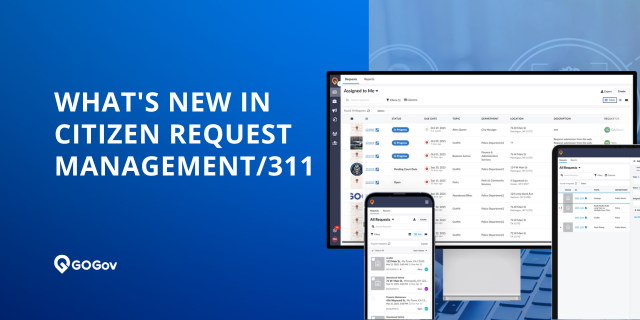
That's why we're excited to announce the major upates of GOGov Citizen Requests, the most significant update in the product's history. This release represents a complete re-engineering of the platform — built in close collaboration with city managers, public works directors, and 311 coordinators across our network of 600+ municipalities. Every feature in this release addresses something real that agencies told us they needed.
Whether you're managing pothole reports, utility complaints, parks maintenance requests, or anything else residents bring to your door, this release makes it faster to create requests, easier to track them, and simpler to close them out — from any device, at any location.
Let's dive into what's new.
What's New in GOGov Citizen Requests
The Q1 2026 release introduces a completely re-engineered request experience across four areas: how requests are created, how they're managed, how teams collaborate, and how managers stay in control. Here's what your team can do now that wasn't possible before.
A New Way to See Your Workload: Interactive GIS Map View
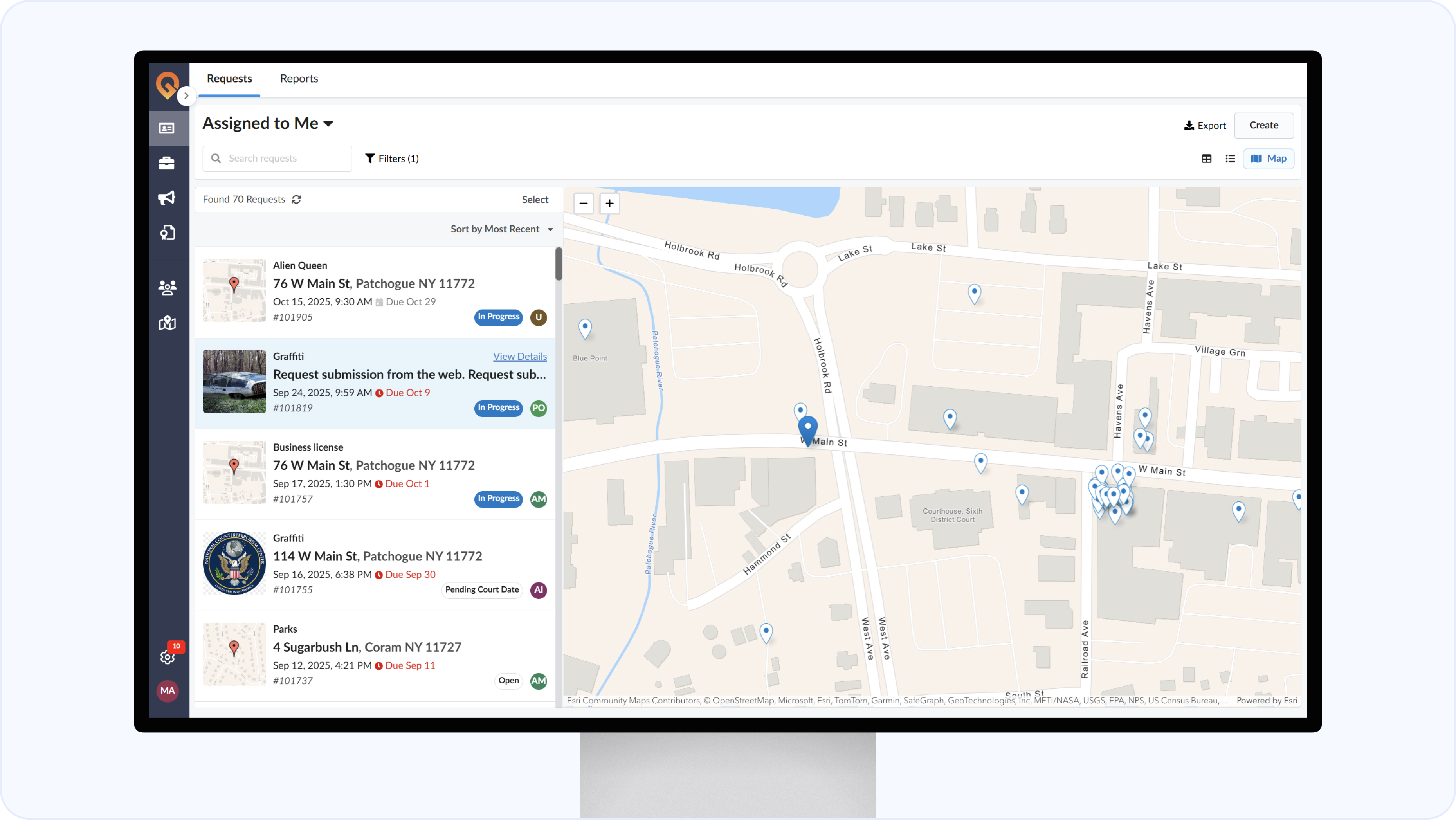
For the first time, GOGov Citizen Requests gives staff a live map of every open request in their jurisdiction — not a static pin-drop, but a fully interactive map with support for custom GIS layers.
New Map View with GIS Layers — Visualize all open requests plotted on an interactive map. Import your own GIS data or create custom map layers to drive assignments, filters, and workflow automation based on location. Spot geographic clusters before they turn into resident complaints.
Geolookup — Use location data to automatically trigger routing rules, assignment logic, and department filters. If a request comes in from a specific district or zone, the right staff get notified without any manual sorting.
For public works teams especially, this changes how the day gets planned. Instead of printing a list and guessing at routes, staff can open the map, see where today's requests are concentrated, and organize field work by location — all from the same screen where they manage the tickets.
💡 Want to see the new map view in action? Schedule a 20-minute demo and we'll walk you through how it works for an agency like yours.
Faster From Start to Finish: Rebuilt Request Creation and Edit Experience
Creating and updating requests used to involve too many steps. The 2026 build cuts that down significantly — with a smarter create flow and a completely redesigned edit screen.
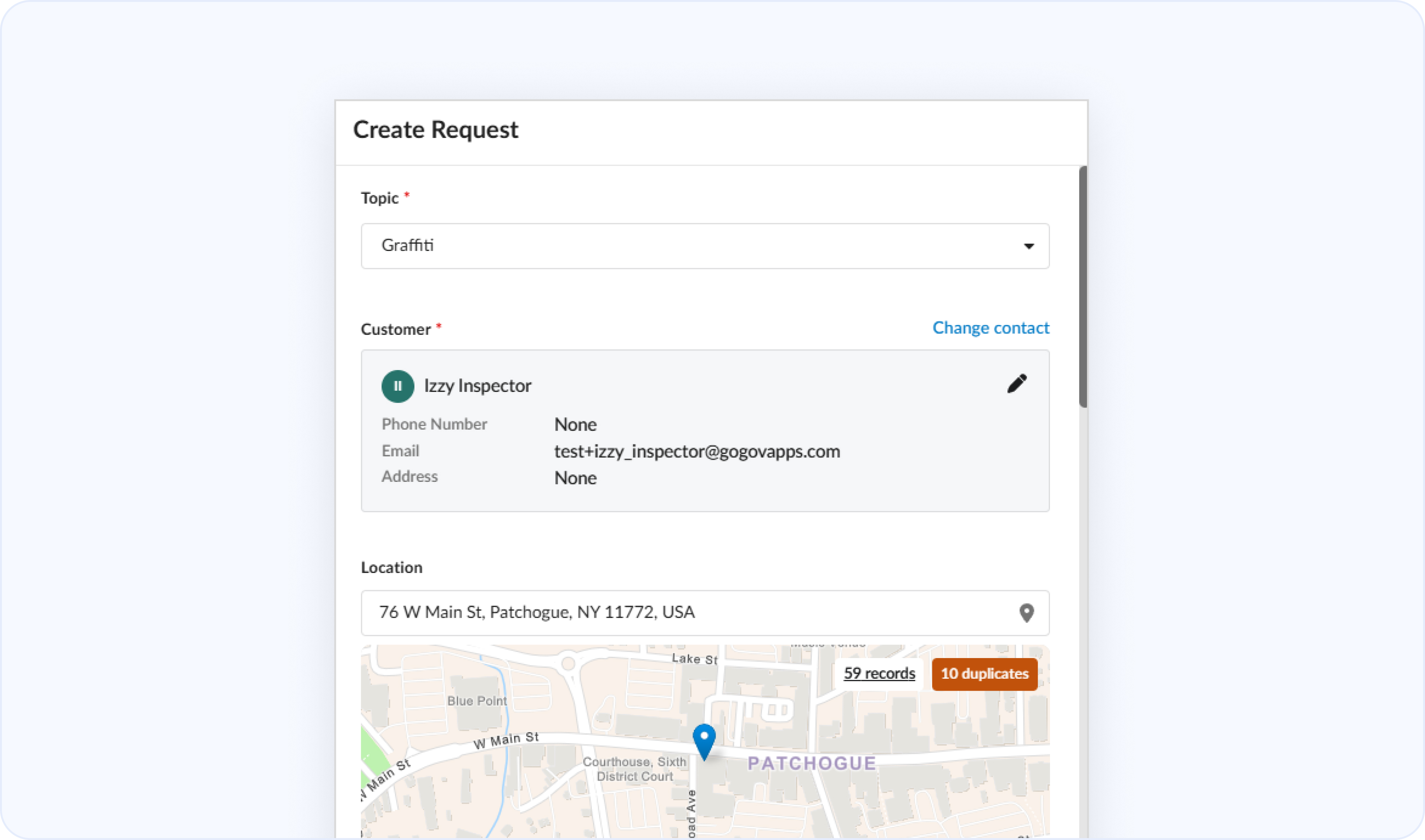
Simplified Create Request Experience — Smart customer and location lookups surface existing records as you type, so staff can attach a new request to a known resident profile in seconds. Potential duplicate requests are detected automatically before you submit — so staff can link or merge before a second ticket ever hits the queue.
Rebuilt Edit Layout — A cleaner information hierarchy means staff always know where they are in a request. Click-to-edit fields reduce visual clutter — you see the data cleanly, and only activate editing when you need it. A persistent header keeps key actions accessible no matter how far into the record you scroll.
Simplified Request Closure — When closing a request, staff are now guided through exactly what needs to be filled in for "Work Done" or "Closed" statuses. No more hunting for the right field — the system surfaces it at the right moment.
Stock Replies Available Everywhere — Previously, stock replies had to be created from the settings panel. Now they can be created or edited directly from any request's edit screen, right when you need them.
Built for the Field: Full Mobile Optimization and Streamlined Work Orders
The previous version of the platform was desktop-first. If you were a crew member in the field trying to update a request from your phone, you had a degraded experience. That changes with this release.
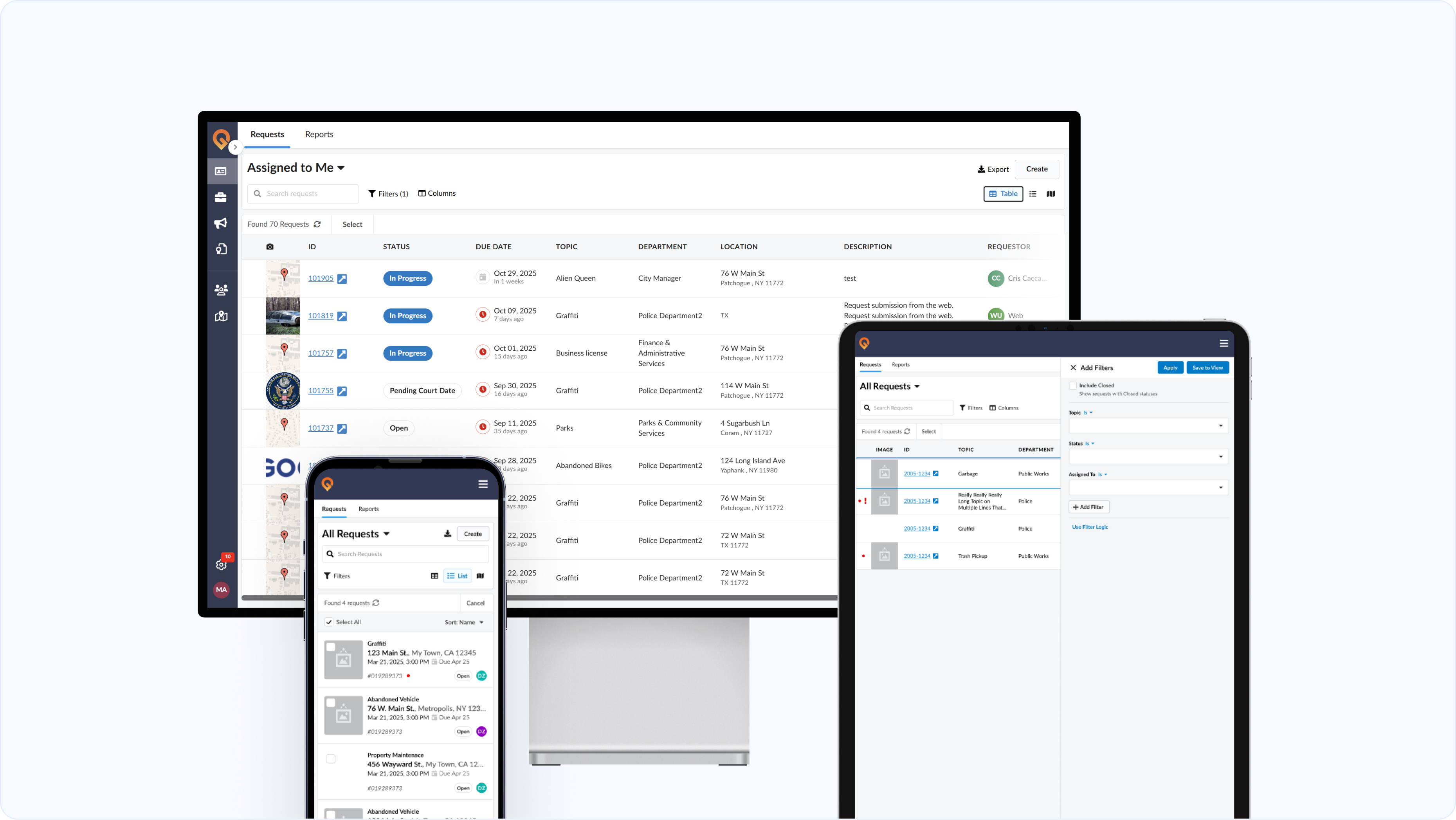
Fully Optimized for Any Device — The 2026 build is fully responsive across desktop, tablet, and phone — same functionality, adapted layout. Staff in the field can create, update, and close requests without returning to the office.
Streamlined Work Orders — Closing out tasks and marking work complete is now simpler and faster from any device. Field crews spend less time on status updates and more time on the work itself.
📱 See how field staff are using the mobile experience. Learn more about GOGov's mobile capabilities →
The Full Picture in One Place: Unified Record View and Linked Items
One of the most common frustrations we hear from agencies running multiple systems is context-switching. A staff member is reviewing a 311 request, realizes there's an open code enforcement case at the same address, and has to navigate to a separate system to find it. Not anymore.
Unified Record View — Staff can now see a resident's complete history in one place — CRM requests, code enforcement cases, and permits — without leaving the screen. This is especially useful for agencies running multiple GOGov products and for staff managing complex, multi-department issues.
Linked Items Panel — View all linked tickets at a glance. Add, unlink, or navigate between parent and child requests without leaving the record.
Improved Integration Visibility — View linked work order integrations and connected code enforcement cases directly from the request header — no navigating away to find the connection.
Smarter Collaboration: Unified Timeline, Followers, and Attachments
Previously, messages, notes, and activity were tracked in separate places — making it difficult to understand the full history of a request at a glance. The 2026 build brings everything into one view.
Smarter Collaboration, Clearer Context — Search teammates to send direct messages, attach files to messages, and see every update and conversation in a single unified timeline on each request. No more piecing together what happened across separate tabs.
Followers Overview — See exactly who is following a request and add yourself with one click to stay in the loop on any ticket you care about.
Enhanced Attachment Functions — Search attachments, perform bulk actions, and view files in full-view mode with collapsible info panels — all from within the request record.
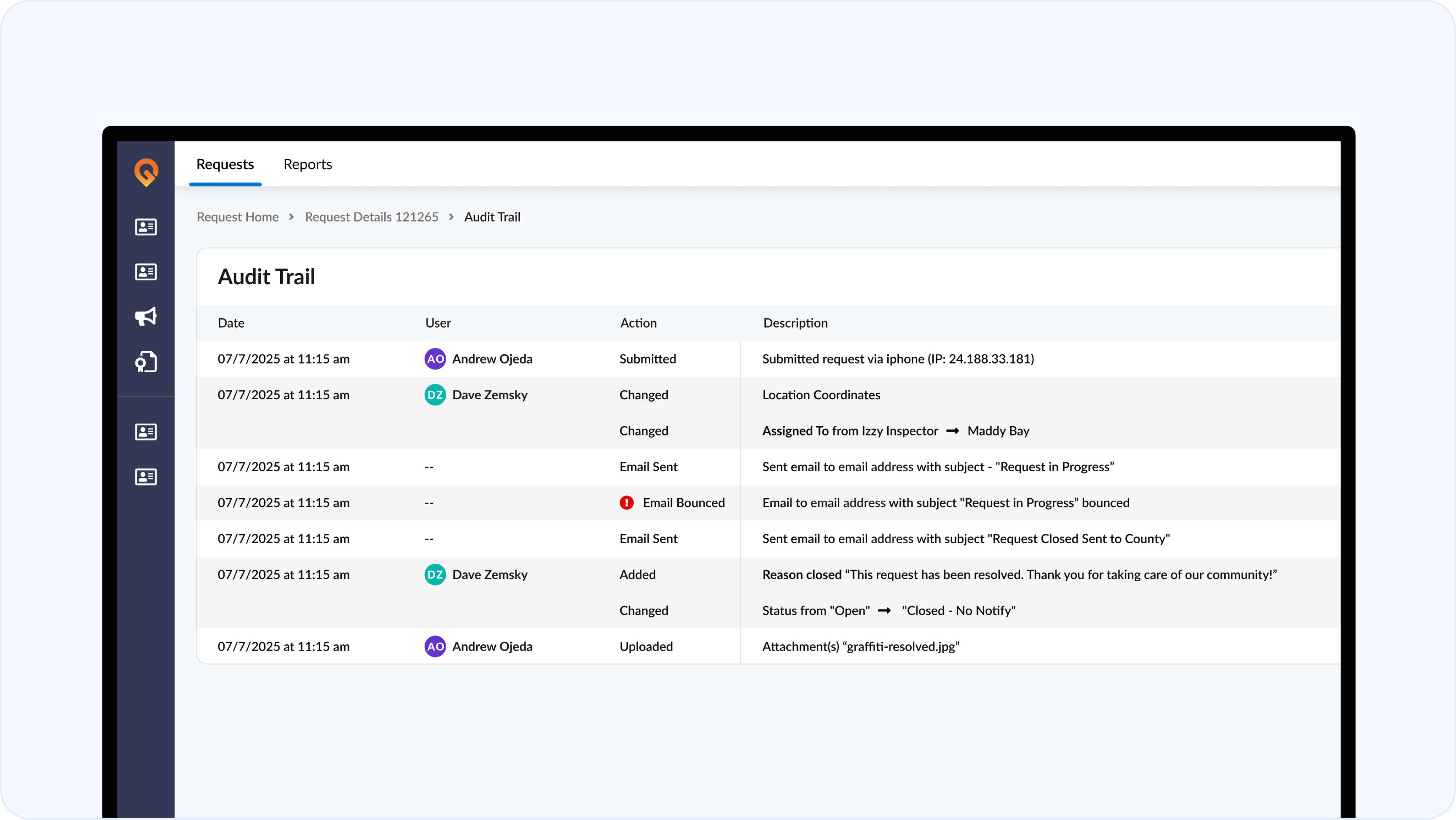
Audit Trail Redesign — A cleaner, more legible timeline makes reviewing request history significantly faster. Every action is timestamped and attributed — useful for accountability reporting and briefing elected officials on district-level activity.
Closing the Loop: Survey Results and Performance Visibility
Resolving a request is only half the story. Knowing whether the resident felt heard is the other half — and it's the data that actually helps you improve.
Survey Results at a Glance — Residents get a smoother satisfaction survey experience on the branded mobile app and web portal. Staff can see completion status and survey results directly on each request — no navigating to a separate report.
This closes the feedback loop in a way that makes the data actually usable. Instead of running a monthly report to check satisfaction scores, staff and managers can see how a specific resident rated their experience right on the request record.

How This Release Helps Your Team
The Q1 2026 release was built from real feedback from real agencies. Here's how the new features translate into practical benefits depending on your role.
For City Managers and Administrators: The unified record view and audit trail redesign give you a cleaner picture of what's happening across departments. Survey results surfaced on each request make it easier to identify where service delivery is falling short before it becomes a council issue.
For Public Works and Field Staff: Full mobile optimization and streamlined work orders mean staff can manage their entire day from a phone. The GIS map view turns a flat list of tickets into a spatial workload that's actually plannable.
For 311 Coordinators and Department Staff: Faster request creation, automatic duplicate detection, and the simplified closure workflow reduce the time spent on administrative tasks. Stock replies available directly in the edit screen means faster, more consistent communication with residents.
For Residents: Every improvement to the staff-side experience translates to faster resolution and more consistent updates. The improved satisfaction survey experience on the mobile app gives residents a voice after every interaction — and staff can see it immediately.
Get Started with GOGov Citizen Requests
GOGov Citizen Requests still includes a fully branded mobile app with your agency's name and logo at no additional cost — the same differentiator that's helped 600+ local governments give residents a modern front door to city services. The Q1 2026 update makes that experience faster and more capable than ever.
Ready to see the new build for yourself?
.png)


.png)